What's new in Gravity Garage 56.9
This is the news from version 56.9. See also what’s new in 56.24 and 56.25 and what’s new in 56.26 and what’s new in 56.27.
A big update for the everyday workshop – from the moment a customer books to the moment the bike is collected. Everything still runs locally on the shop's own PC.
Online booking – on your own website too
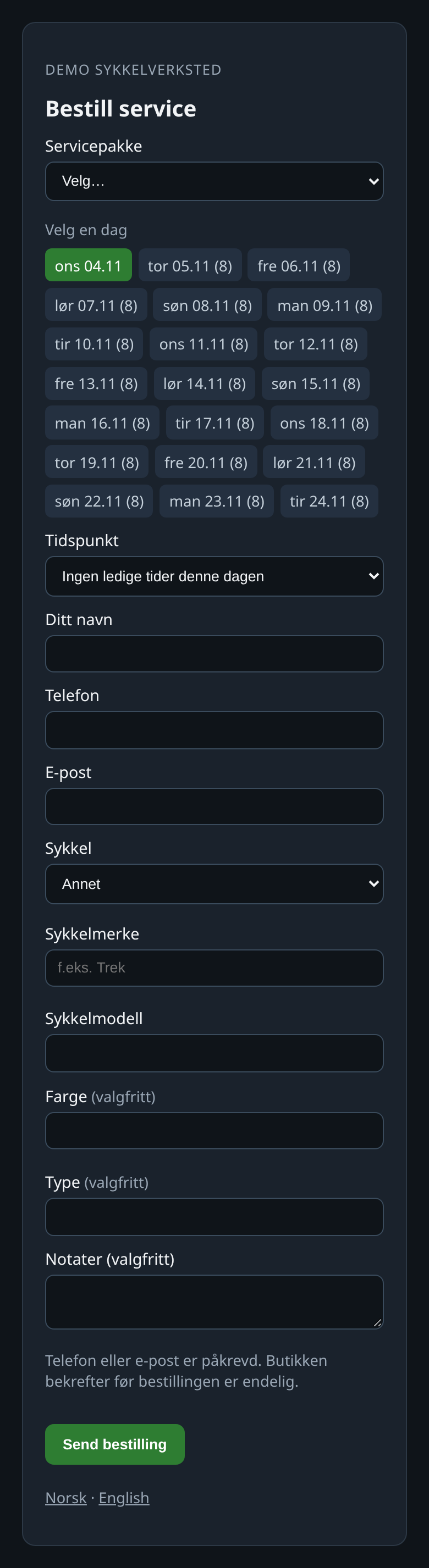
Customers pick a service package, a day and a free slot, leave their name plus phone or e-mail, and choose a bike. Saved bikes appear when the contact matches a customer; otherwise they pick "Other" and enter brand and model. The booking stays pending until the shop confirms – then a work order and calendar appointment are created and linked.
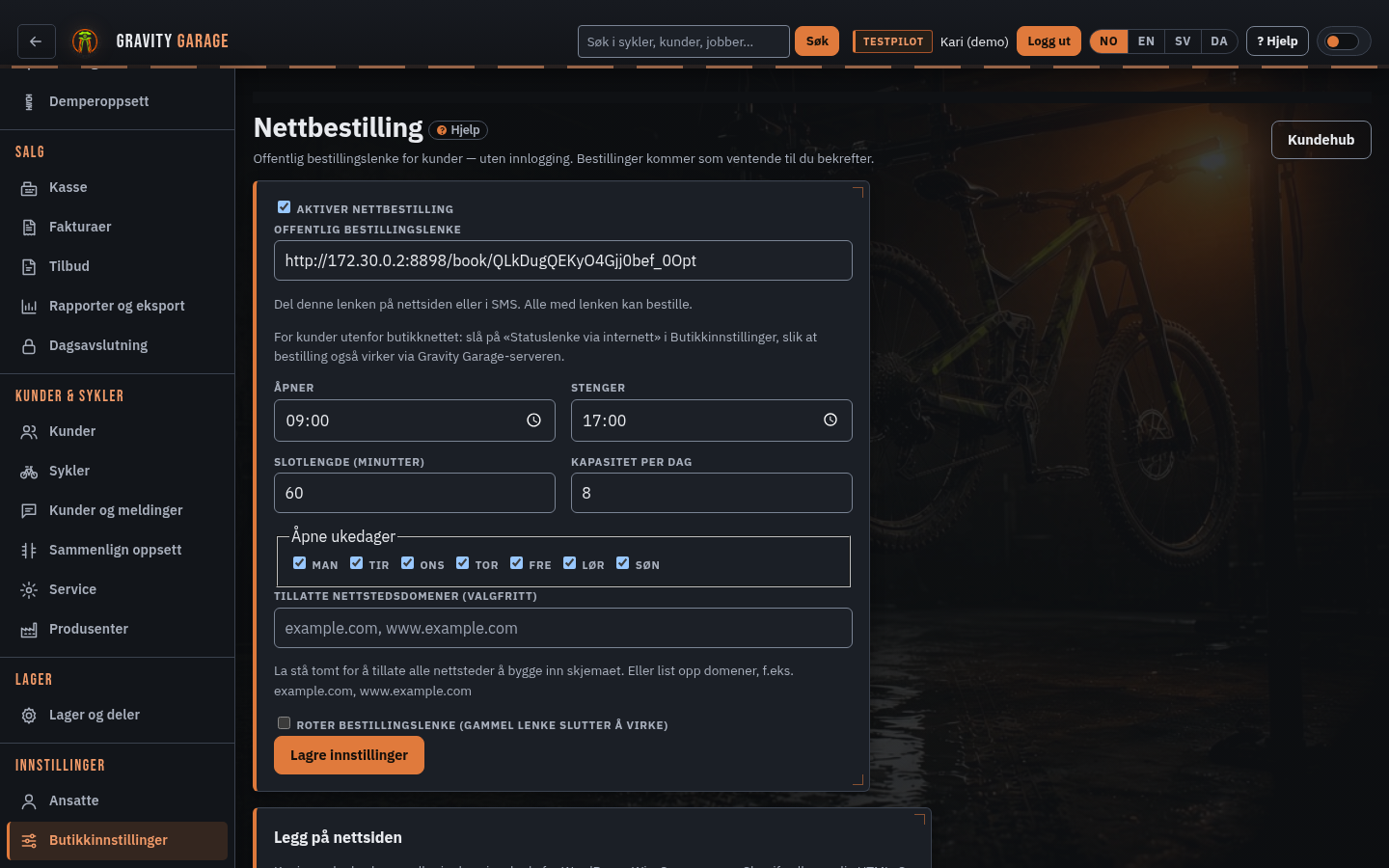
Under Put on your website you get ready-made button HTML, an embed snippet (iframe) and a small JS loader that resizes with the page, a QR code and a live preview. Works with WordPress, Wix, Squarespace, Shopify and plain HTML. You can restrict which domains may embed the form. See the guide.
With "Status link via the internet" on, customers can book from home; no customer list is uploaded – only packages, free slots, shop name and language.
Digital approval of extra work
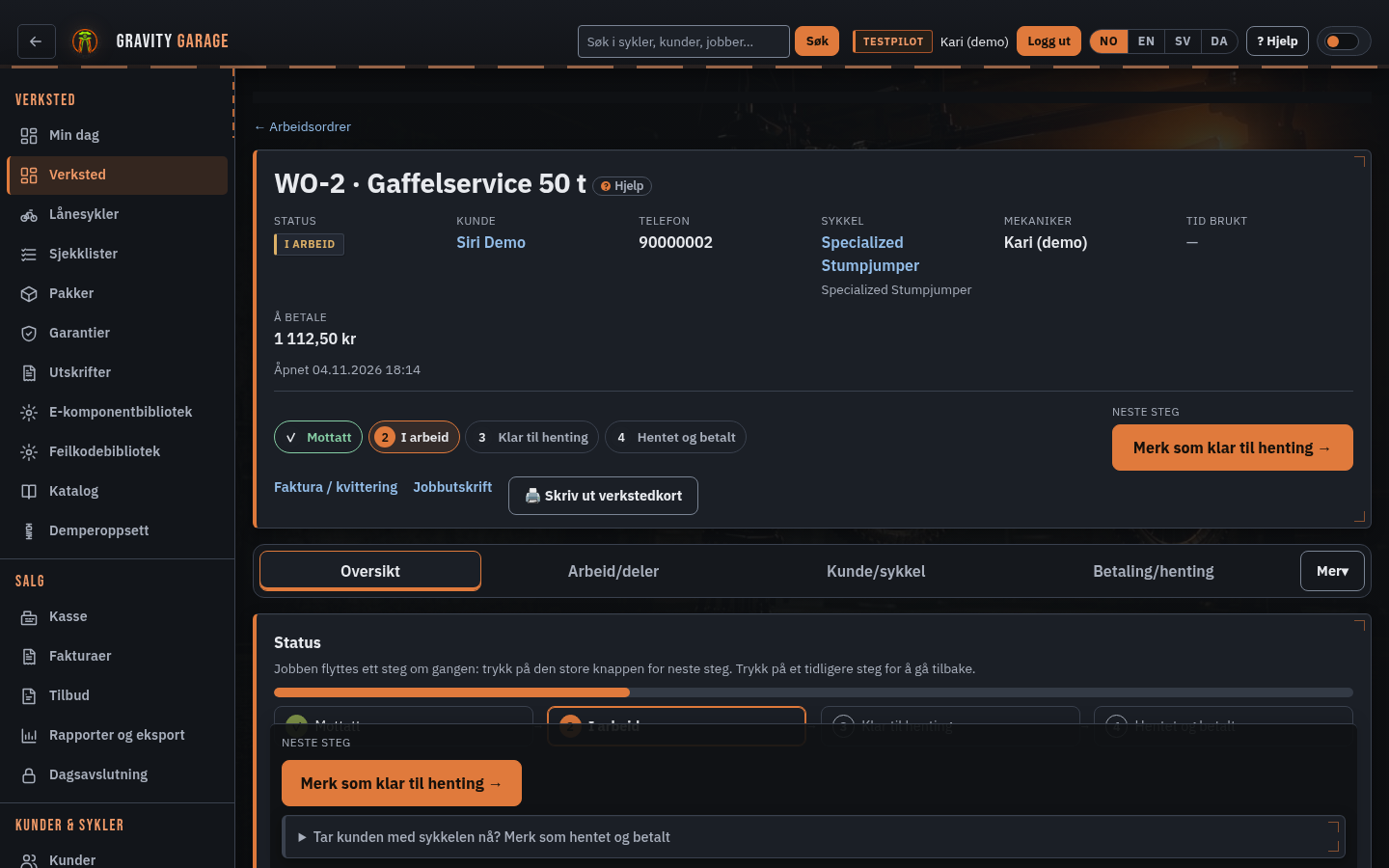
Found something more during the job? Enter description, price and qty and click Propose to customer. The customer approves or declines on the status link, the decision is logged with a timestamp, and approved items are added as work-order lines.

Service reminders
Reminders grouped by customer, as e-mail or SMS drafts. New: automatic daily reminders (off by default) – choose time and channel; e-mail opt-out is respected and the same group is never reminded twice within 14 days.
Photos on work orders
Upload photos straight from a phone camera and mark them Before / After / Other. Optionally show before/after photos on the customer's status page. Files stay on the shop computer.
Warranty claims
Track claims with brand (Fox, Öhlins, Shimano, SRAM, …), serial number, part, photos and status (Draft → Sent → Approved / Rejected / Credited), and print a clean claim sheet.
Mechanic mobile view
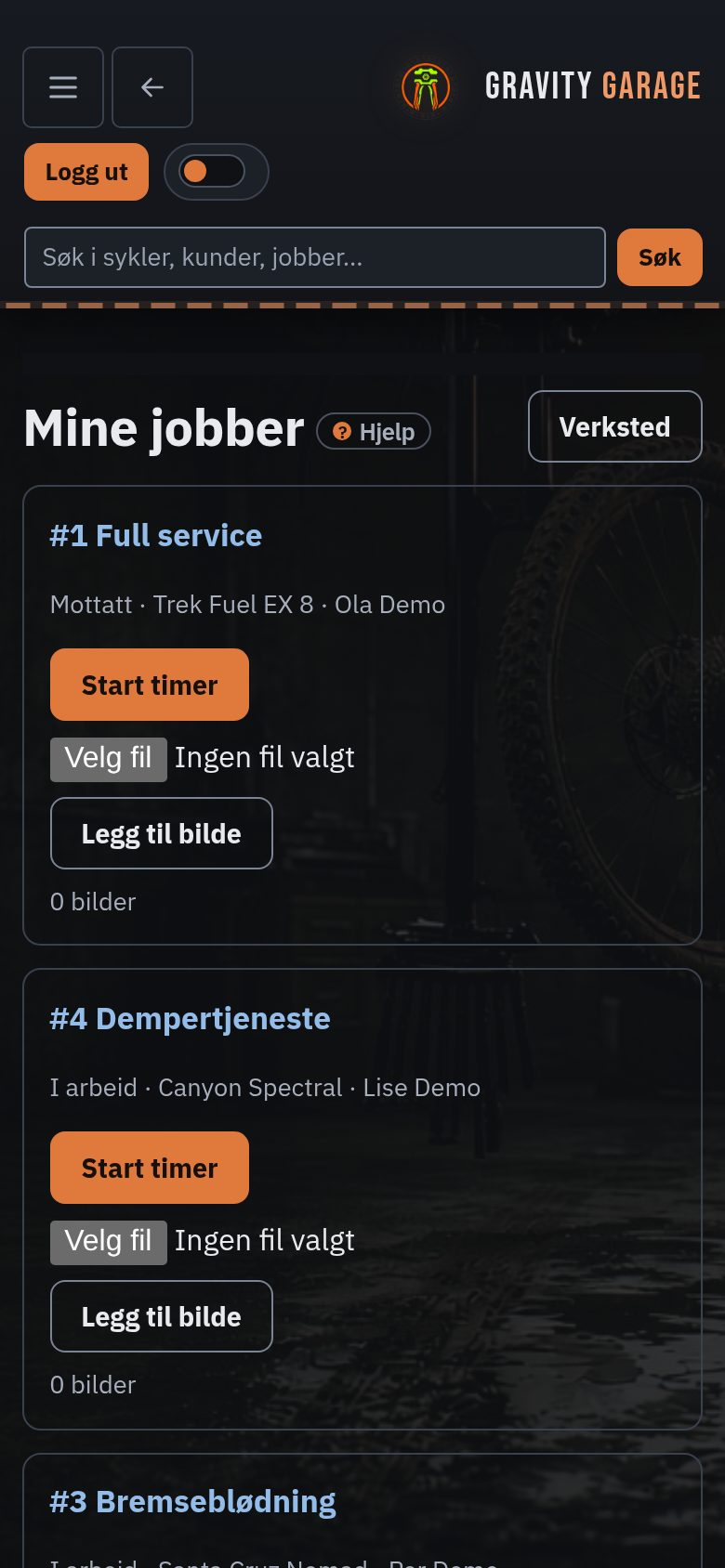
A phone-friendly list of your assigned jobs: tick checklists, upload photos and start/stop the job timer. Time is written to the work order's time log.
Time tracking (improved)
New job timer in the mechanic view. The staff time clock (clock in/out) with Excel export for payroll is already included and can be switched on or off in shop settings.
Privacy-safe error reports
Your choice: Off, Manual or Automatic (Shop settings → System → Error reports). A report contains only app version, page, scrubbed technical error, operating system, timestamp and licence id – never customer names, phone numbers, e-mails, frame numbers or form contents. In Manual mode you see exactly what will be sent before confirming.
Real screenshots from the app, with fictitious demo data. More screenshots
Try Gravity Garage as a test pilot
Before the April 2027 launch, bike workshops can get a free licence for one location. You will receive the download link and licence key by email, usually within one working day.