For bike workshops of all kinds – in Norway and internationally
Workshop software built for bike shops
NOK 9,900 one-time per workshop, on your own computer. No monthly fee to Maybra Apps. Customer messages can be sent via WhatsApp (wa.me) instead of a paid SMS subscription.
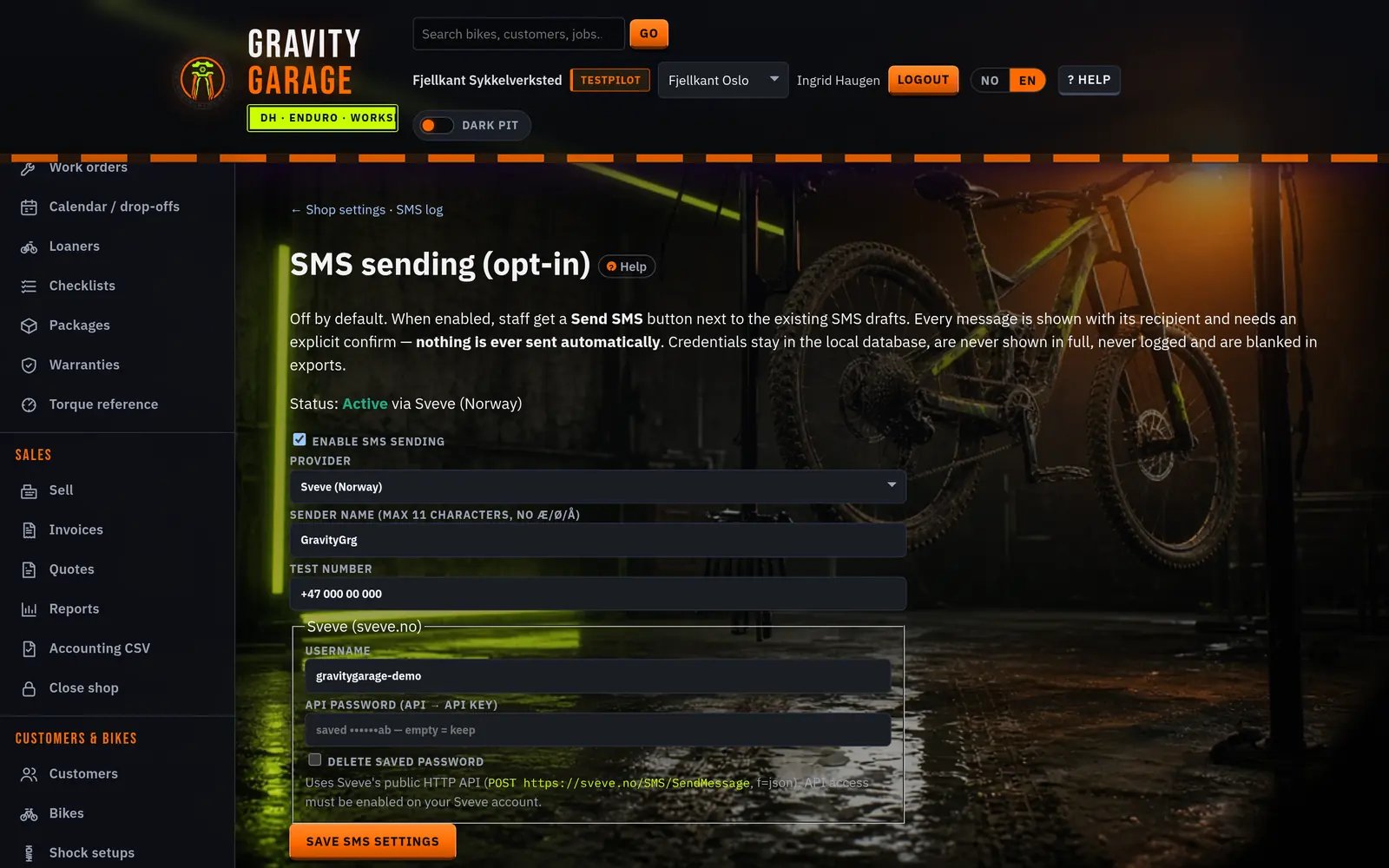
A five-step setup guide, settings as searchable cards, keyboard shortcuts with ?, official manufacturer logos linking to their websites and a much faster workshop board and job lists.
A full history for each customer and bike, with the same level of information and care. Customers are impressed by how much the workshop knows about their most valuable possession.
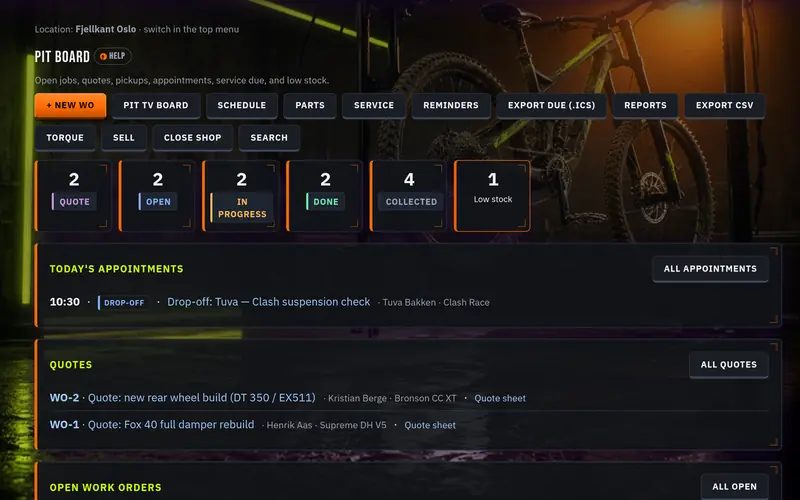
Control for the mechanic, a full picture for the manager.
The mechanic stays in control through every stage of the job, and the manager has a full overview. Incidents and observations (HSE) are reported and followed up in the program.
On your own hardware
It works even if the internet is down.
The software runs locally on the shop’s own Windows or Linux PC. Everyday work with customers, jobs and stock continues even if the connection drops.
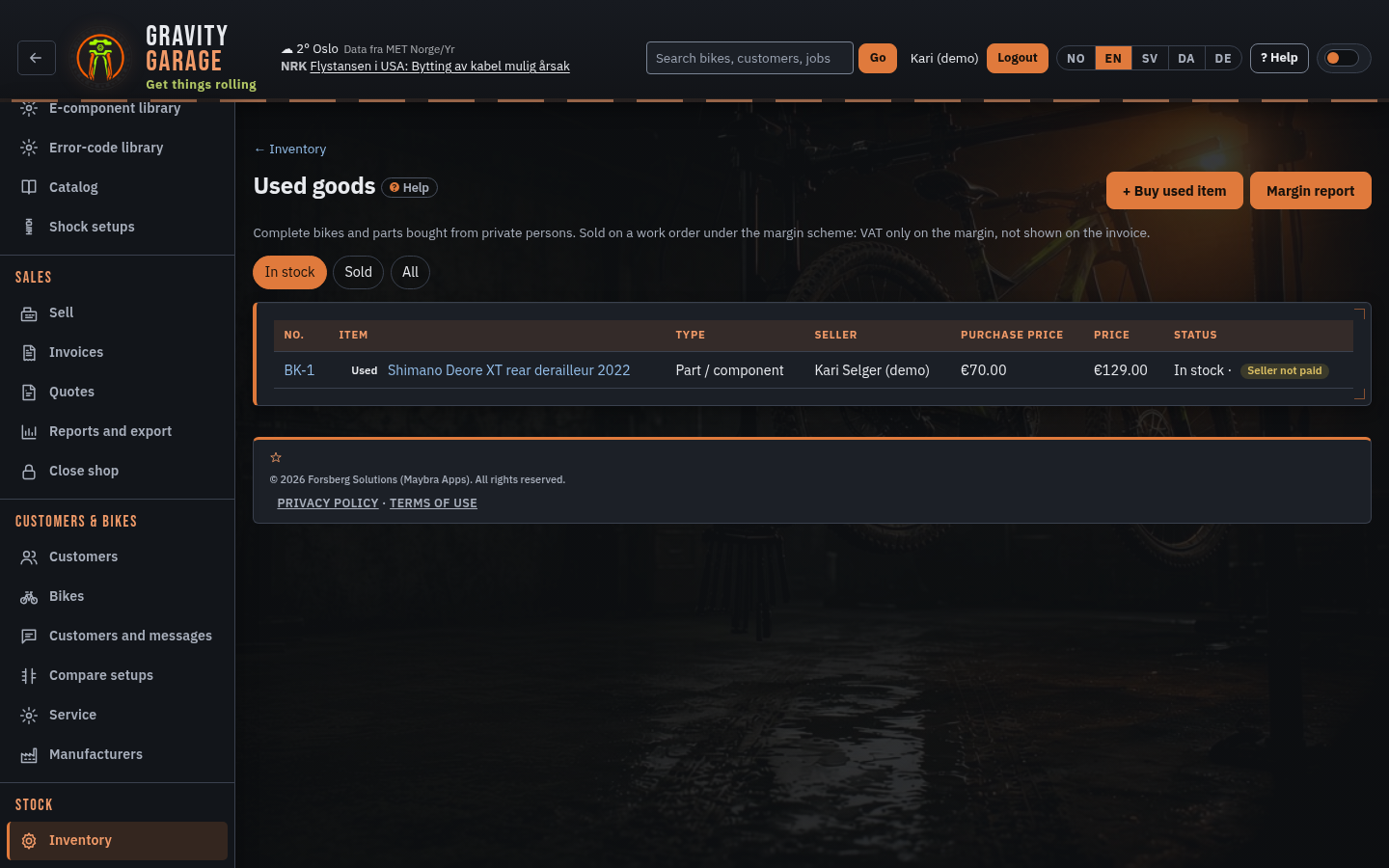
Buying and reselling used bikes and parts is built in – from seller and purchase record to stock and sale on a work order. In Norway you can use the used-goods VAT scheme (bruktmoms).
The more history you add, the more valuable the software becomes – a system you love to use. Your data and licence stay with the shop, including when you move to a new PC.
"It started as a log for our own bikes, but I soon saw that others could use it too. So I set out to build a complete workshop system, but not like everything else, where you're charged every month. That's why Gravity Garage runs on your PC and your own hardware. You own it, and you never have to wonder whether you've remembered to renew next month's licence."
– Bjørn Forsberg, founder
First test pilot
What shops are saying
“Brilliant and useful”
First test pilot: Bike Senter (sales and service).
Up to six workshops get to test Gravity Garage in real everyday use before the launch in April 2027.
The full app, ready for everyday use – test pilots tell us if anything is missing or could be better.
Customer story
Bike Senter finds the software a useful tool that makes everyday workshop life easier. It is also very professional – something customers notice when all the information is stored together with the history.
— Bike Senter, sales and service
How it works
From drop-off to pickup – in four steps.
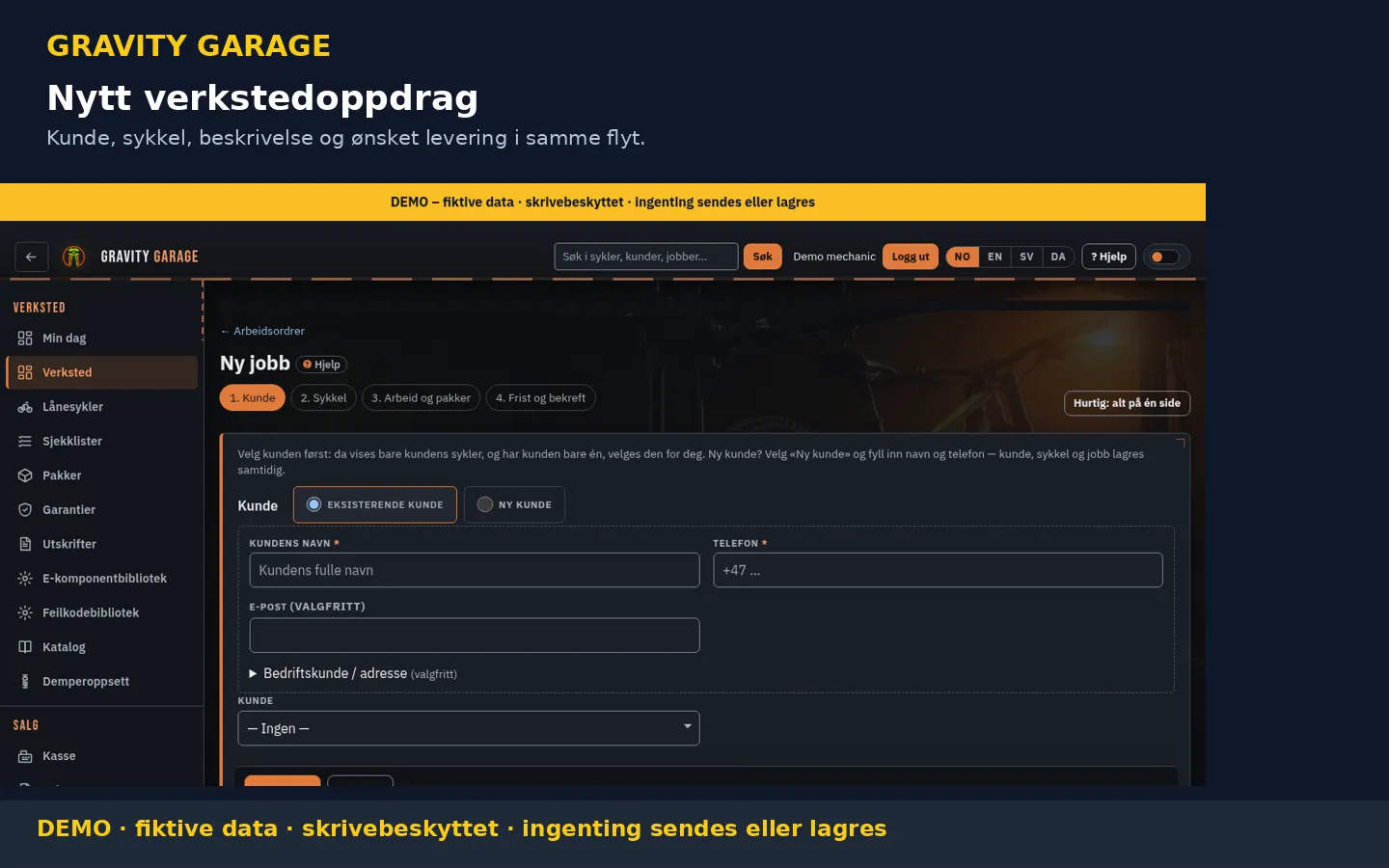
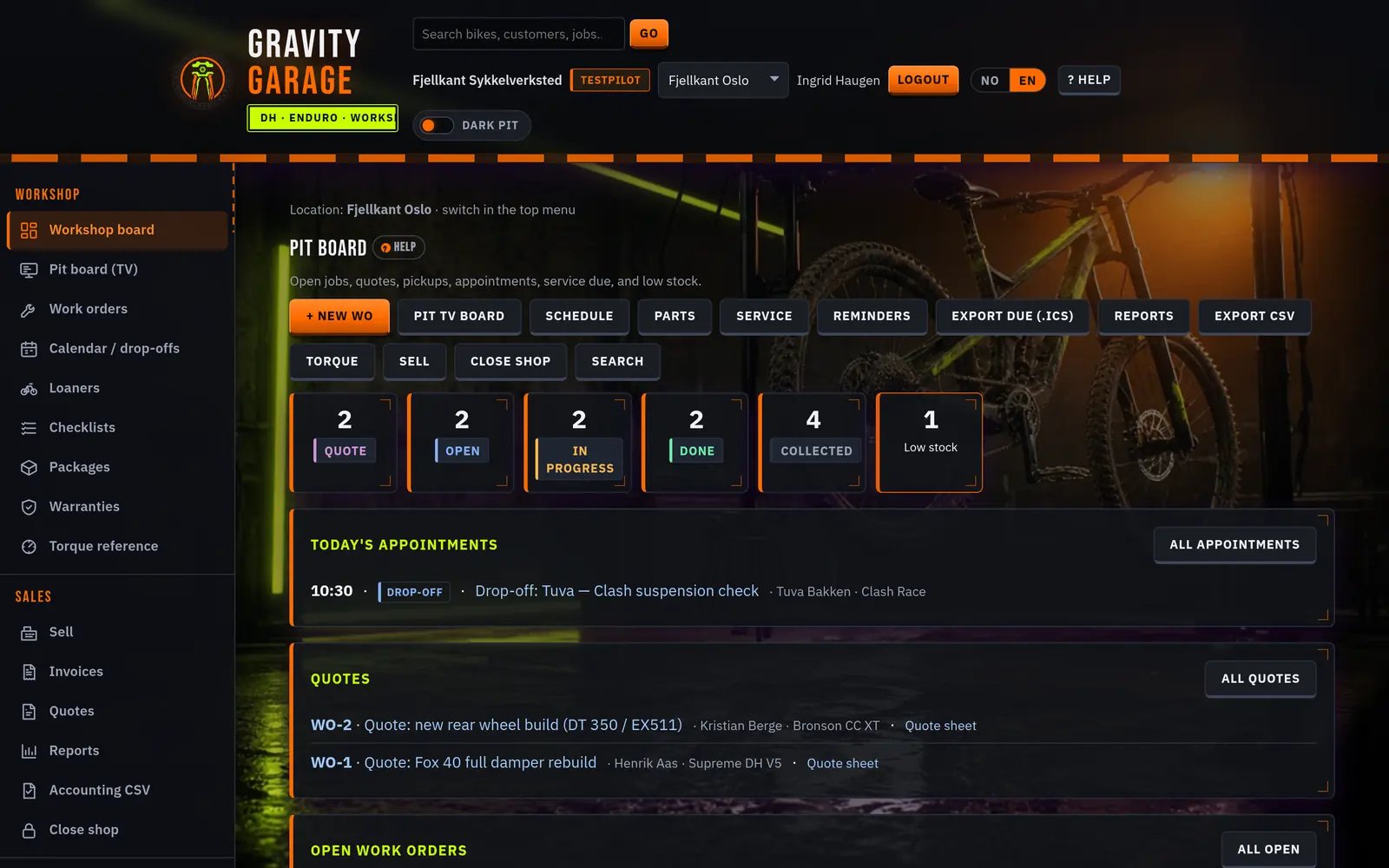
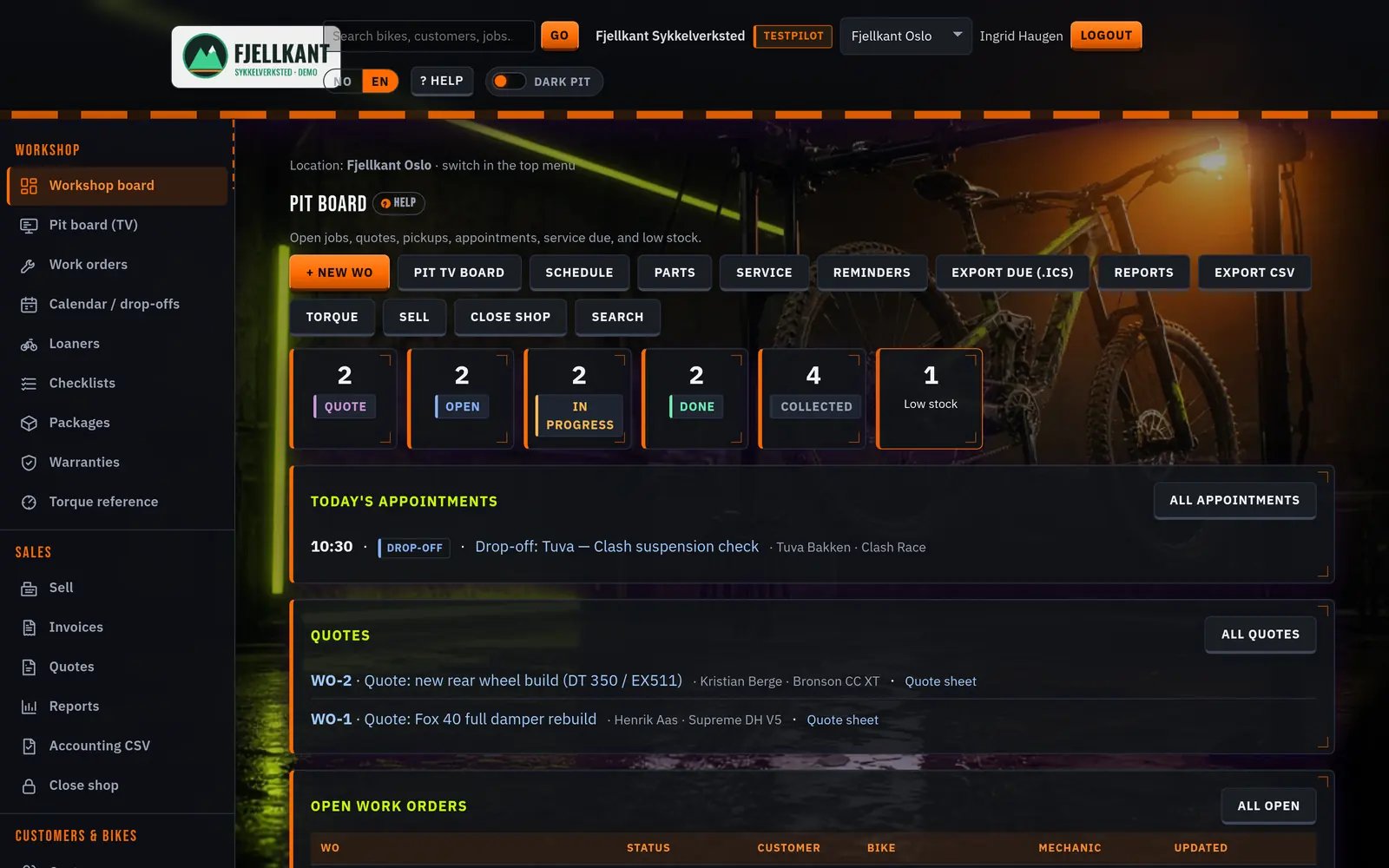
A typical job in Gravity Garage. The images are real screenshots and video guides with fictional demo data.
Received
In progress
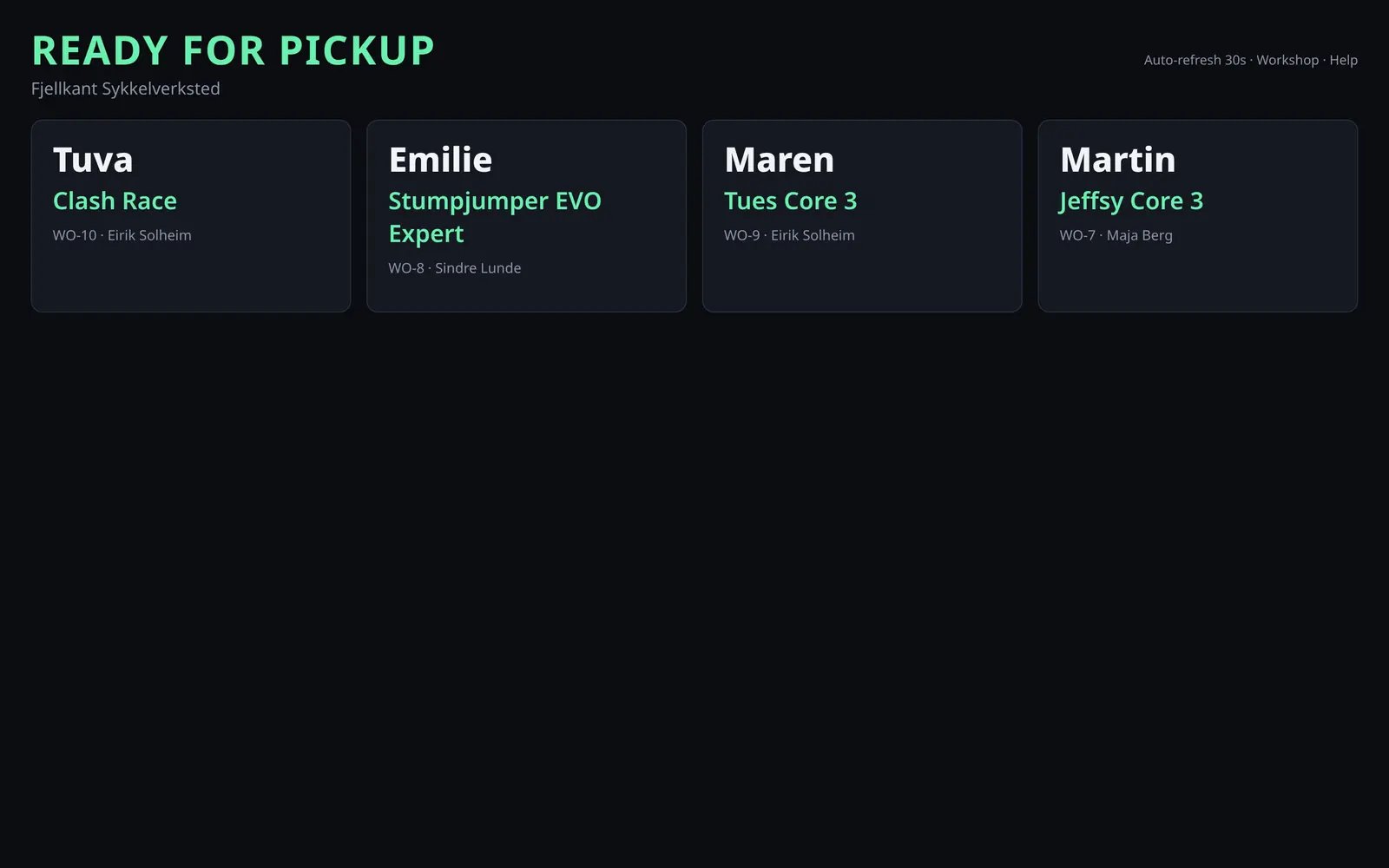
Ready for pickup
ServiceFictional demo job
Illustration of the workshop board: the job moves from “Received” to “Ready for pickup”.
1. Drop-off
Register the customer, the bike and the job – in one form.
Gravity Garage is not a till system. Norwegian shops take payment in their own till system; invoices on credit go to business customers only. Optionally, the amount can be sent to the shop’s own SumUp or Zettle account.
Gravity Garage has its own function for buying used items and selling them on. The whole process sits in the program – from the seller and the purchase document through to stock and a sale on a work order.
Register a used bike or part bought from a private seller, with seller details, photos, condition and price.
Print a purchase document with a signature line, and record payment in cash or to the seller’s account.
The item goes straight on stock as used, and you sell it on a work order.
In Norway you can use the margin scheme: VAT only on the margin, with a report per VAT term.
Used goods: buy from a private seller, with price and status. Fictional demo data.
Easy to move
Switch systems, or move to a new PC.
From another system
Bring customers, bikes and history.
Import customers, bikes, stock, old invoices and work orders – including old .xls files and bike photos. Old invoices are shown as an archive and do not affect the accounts. You can run both systems side by side until you are ready.
Make one move file on the old PC and choose it on the new one. Customers, bikes with photos, work orders, settings and the licence all come along. The file can be password-protected.
Workshops that want to try the software themselves before deciding.
Price
Free for 30 daysNo payment, no commitment.
You get
The full version for 30 days from first start. Afterwards everything can still be viewed, exported and backed up – a licence key unlocks it all and your data is kept.
For registered businesses. Access may require manual review.
Workshops that want to use the app day to day and give feedback before the launch in April 2027.
Price
FreeNo annual fee. Six workshops at most.
You get
A free licence for one location that works forever, free updates and support, and help getting started. Test pilot licences cannot be transferred.
Applications close once six are accepted. Gravity Garage is sold to workshops and businesses, so we ask for a company registration number when you apply.
Workshops that want to own the software – no subscription.
Price
NOK 9,900One-time per workshop/location. Extra location NOK 4,900. Optional update and support plan NOK 1,990 per location/year. NOK, no VAT.
You get
A full licence with unlimited users, PCs and tablets at the location. The app works forever – also without a plan.
How to buy: send a request with a company registration number → review → payment (Norway: invoice/EHF, 14 days; other countries: SumUp links after confirmation) → licence key after accepted and verified payment.
The test pilot programme runs until the launch in April 2027. Up to six workshops can become test pilots; once six are accepted, the application form closes. We are looking for workshops that will test in real everyday use and tell us straight what works and what is missing.
Being a test pilot doesn't mean getting a half-finished app. You get the full Gravity Garage, complete and ready for everyday use in your workshop. All we ask is that you tell us if anything is missing or could be better.
You get
A free licence for one location that works forever, free updates and support with no annual fee – and help getting started.
We ask
That you use the app in your workshop and give honest feedback along the way.
Your data
Everything is stored locally at your shop, also during the test period. Nothing is sent to us.
What the workshop licence includes
Buy it once. You own the software. No monthly fees. No limit on the number of PCs, tablets or mechanics in the shop.
Buy once – no monthly rent
Unlimited users at that location
Free use on all PCs and tablets in the shop
Extra location: NOK 4,900
Optional update and support plan: NOK 1,990 per location per year
Full data ownership with a local SQLite database
The app works forever – also without a plan
Statistics add-on (best sellers and profit): NOK 1,900 one-time
User manual and help pages included
Licence details and payment
Forsberg Solutions is not VAT-registered, so no VAT is added. Workshop licence: NOK 9,900 one-time per workshop/location and NOK 4,900 per extra location, unlimited users. Optional update and support plan: NOK 1,990 per location per year – updates released while the plan is active can always be installed, and the app keeps working forever, also without a plan. Statistics add-on: NOK 1,900 one-time, permanent. Test pilot: completely free for one location – licence, updates and support, with no annual fee. Norwegian customers: pay by invoice (e-mail or EHF). Customers outside Norway: card payment to Maybra Apps via SumUp (licence links on the order page). That is payment for the software – not the workshop’s own SumUp for customer checkout. The licence key is sent by e-mail only after acceptance and manually verified payment.
Chains with several workshops
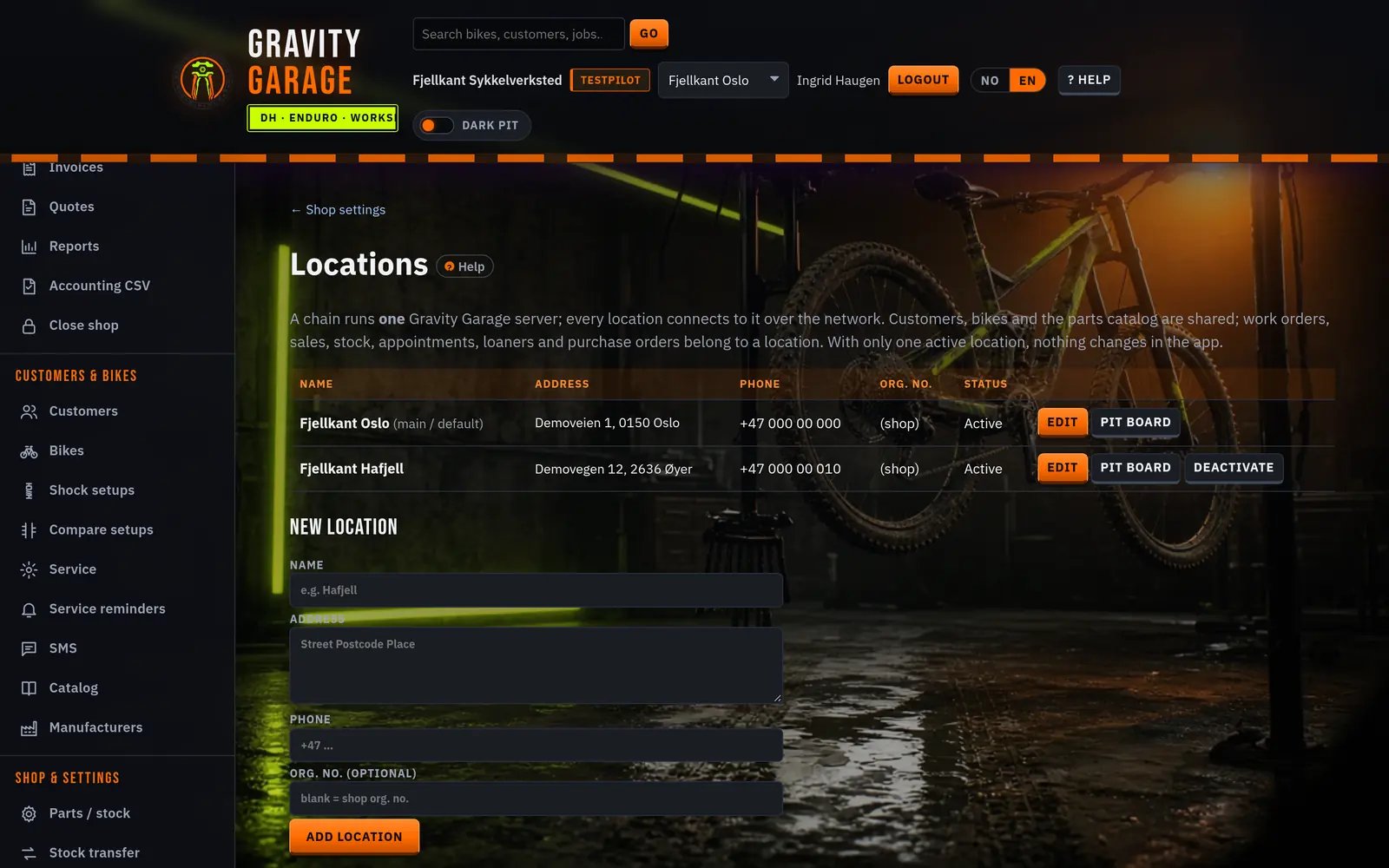
A chain with several workshops? One licence per location.
The licence is per workshop/location, with unlimited users there. So a chain with shops in London and Aberdeen pays NOK 9,900 for the first location and NOK 4,900 for the second. Each location gets its own stock, jobs and pit board. Questions, or want help setting up several locations? Send an enquiry with the form below or write to support@maybraapps.com.
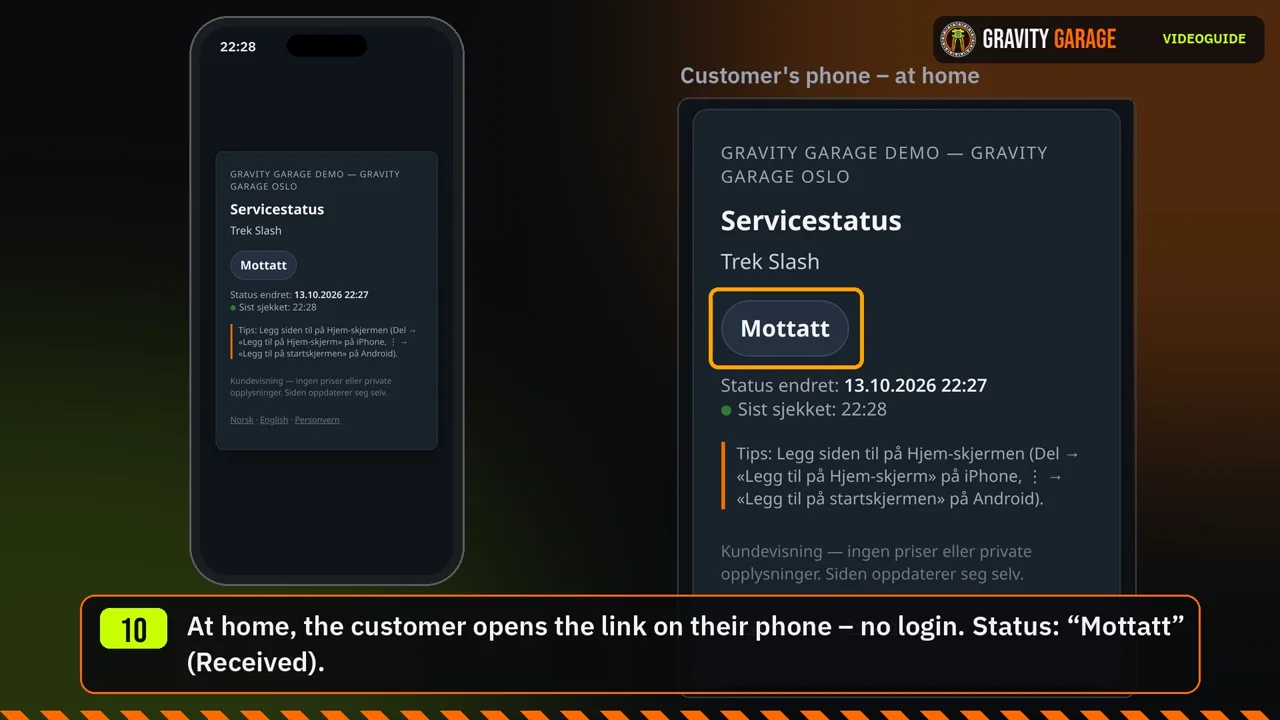
Every work order has its own private status link. Send it via WhatsApp (wa.me), e-mail or SMS – the customer can check where the bike is, with no app and no login.
The statuses the customer sees:
Quote
Received
In progress
Ready for pickup
Collected
Read more about the status link
No server, no cloud, no subscription. Gravity Garage runs on the workshop’s own computer – the status link comes included, with nothing extra to set up.
Every work order has its own private status link. Copy the link from the work order and send it to the customer via WhatsApp (wa.me), e-mail or SMS. The customer can bookmark it and check where the bike is – from quote to ready for pickup.
Only what the customer needs to knowThe workshop’s name and logo, the bike, its status and the next appointment, if one is booked.
No prices or private detailsNever prices, notes, phone, e-mail, payment details, staff names or the frame number.
No app and no loginThe customer opens the link in the browser on their phone. The link is secret and hard to guess.
In the customer’s languageThe status page is shown in Norwegian or English, following the language set for the customer.
The status link works wherever the customer can reach the program. On the shop’s own network it works right away. If you want customers to open it from home, the workshop makes the program reachable itself – for example through a server, a VPN or a published address. That is entirely optional.
The status page as the customer sees it (fictional demo data).
What’s included
Everything the workshop needs, every day.
From bike drop-off to handed back – in one app that runs locally in the workshop.
More about bike types
Gravity Garage works for every kind of bike – road, city, kids’ bikes and e-bikes. You create your own service packages with labour, parts and prices, tailored to the bikes you work on. The software is still especially tailored to workshops that work on mountain bikes, suspension and e-MTBs, with built-in references for forks, shocks and e-bike systems from brands such as Fox, RockShox, Bosch and Shimano.
Pickup: invoice in the app
Gravity Garage is not a till system. Norwegian shops take payment in their own till system; invoices on credit go to business customers only. Optionally, the amount can be sent to the shop’s own SumUp or Zettle account. Gravity Garage does not take payment itself – see payment with SumUp or Zettle.
Read more about payment with SumUp and Zettle
Payment, receipt and end-of-day settle in the till.
Zettle: temporary product «Verksted AO-…» – sell in Zettle Go; Gravity Garage marks paid automatically.
Recommended: SumUp. Gravity Garage sends the payment to SumUp as a payment link with a QR code. The customer scans the code and pays on their phone. The work order is marked as paid automatically once SumUp confirms the payment. Read more on sumup.com.
Zettle (now PayPal Point of Sale) still works: Gravity Garage creates a product in your Zettle library, and you take the payment in the Zettle app (now PayPal POS). zettle.com
Referral link for your workshop’s own SumUp account. Not a Gravity Garage licence payment.
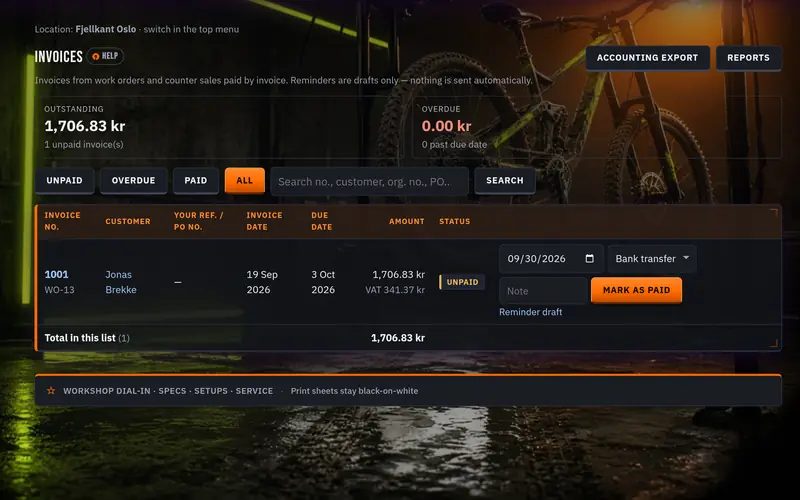
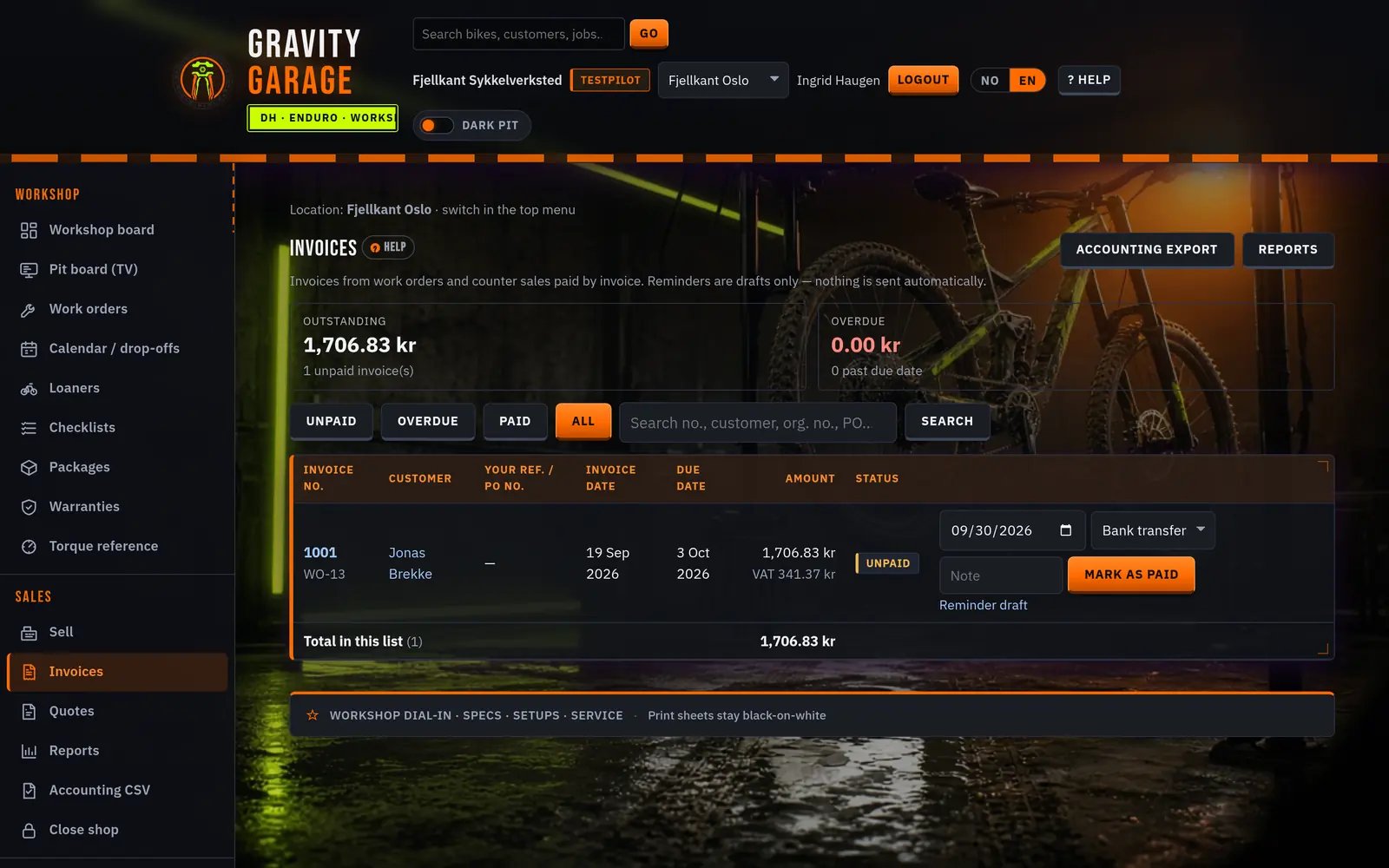
Invoicing for company customers
Invoice with PO number/reference, contact person, payment terms and due date.
KID and invoice numbering
List of unpaid and overdue invoices, with reminder drafts
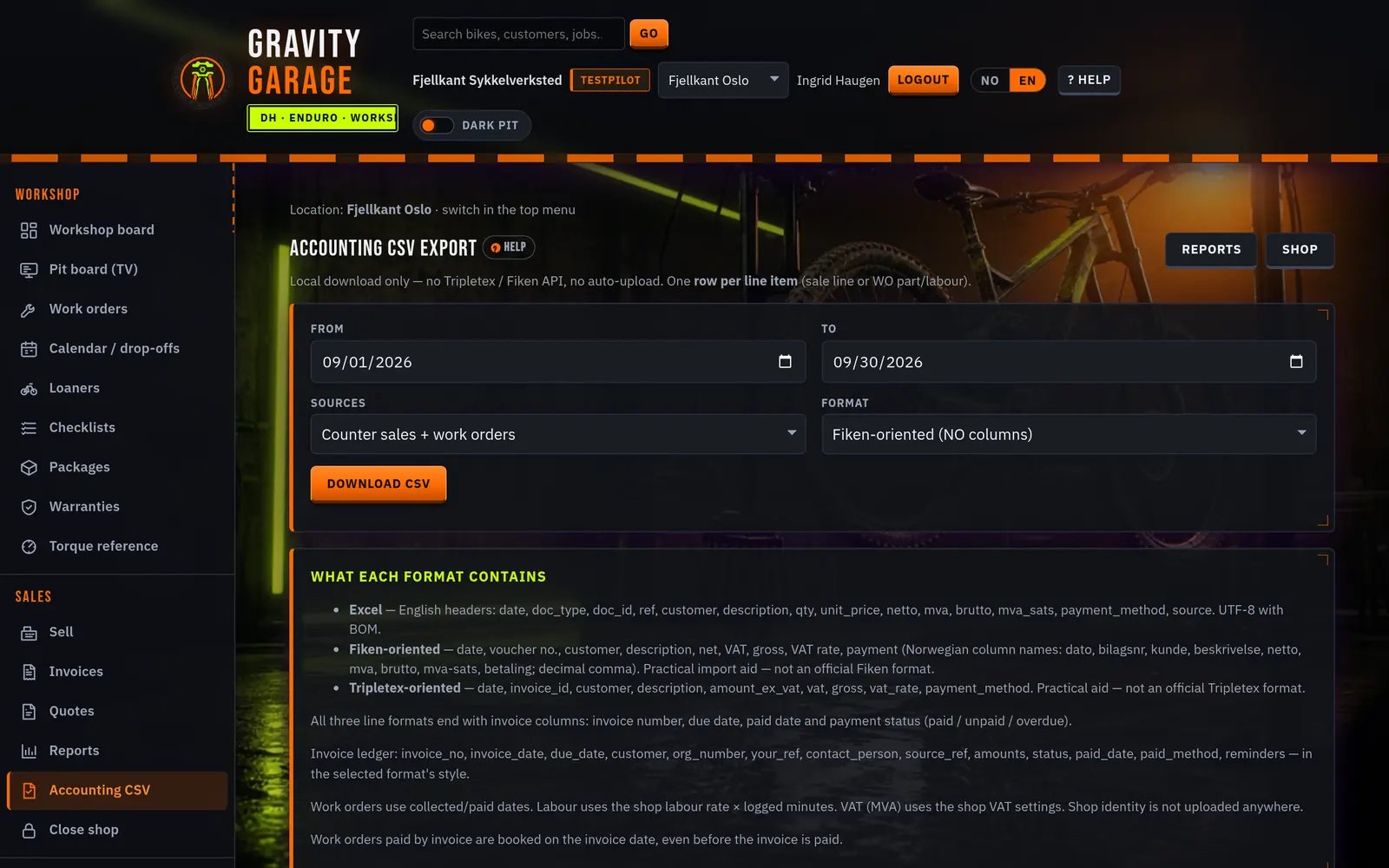
Accounting export (CSV)
CSV export shaped for import into Fiken, Tripletex or Excel – with invoice data too. Reports and close-shop.
An import aid, not an official integration
Sales, order and invoice data for your accountant
Show all features (10 more)
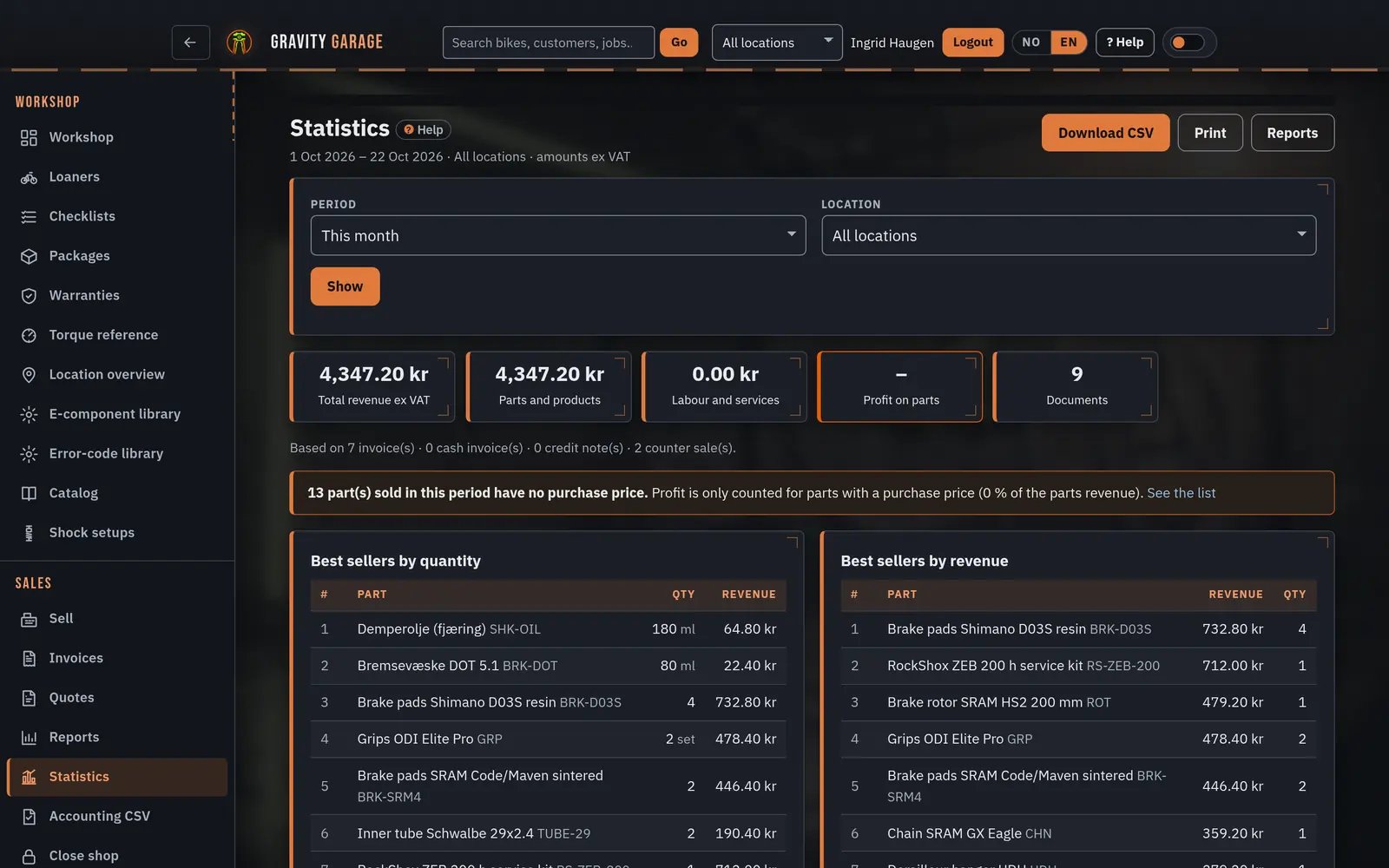
Statistics add-on
See what sells – and what earns: best sellers by quantity and revenue, profit per part with margin, and the labour and services that bring in the most.
Per period and location, with CSV for Excel
Add-on: NOK 1,900 one-time
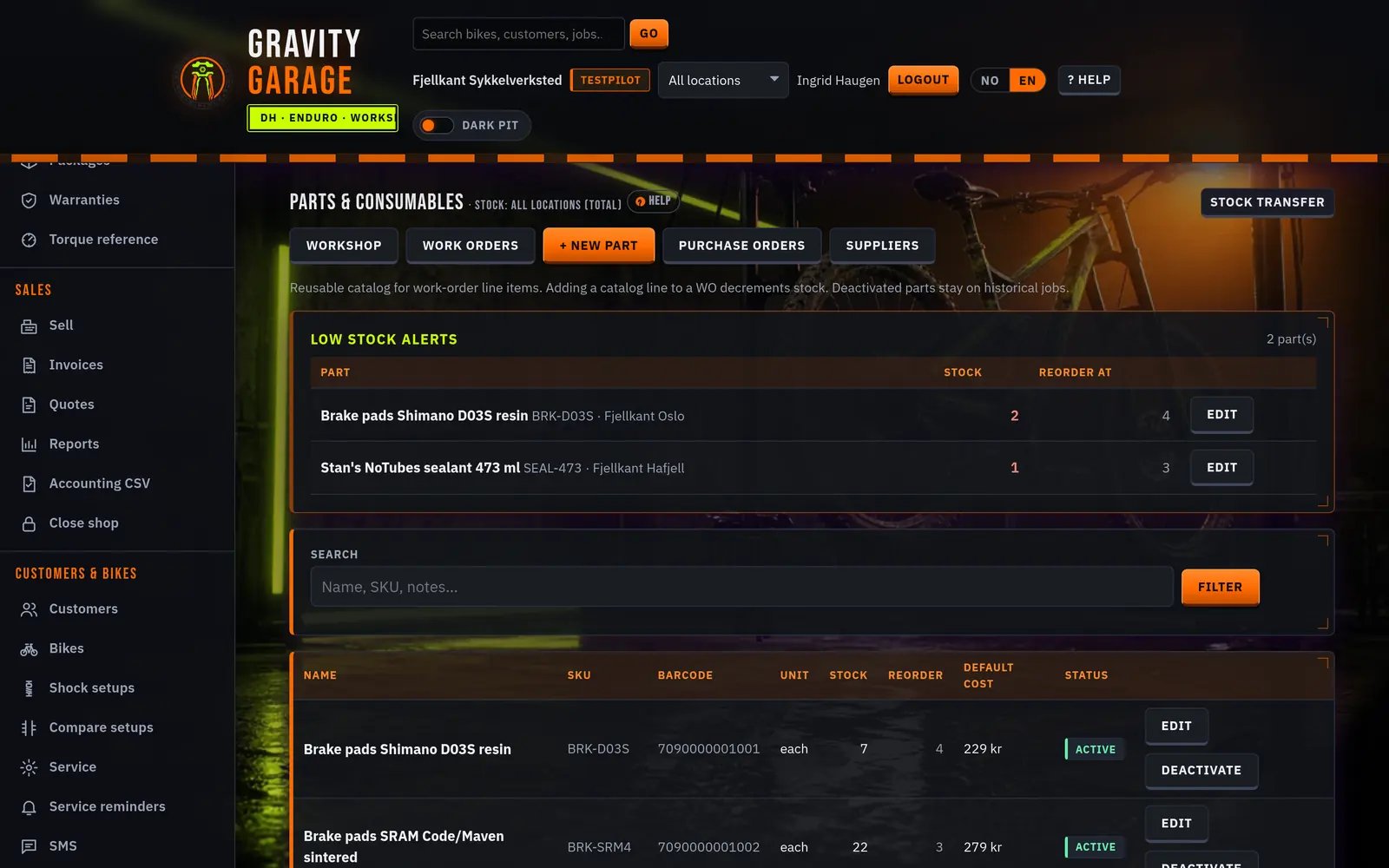
Parts stock & ordering
Stock per location for specialist parts, with low-stock alerts.
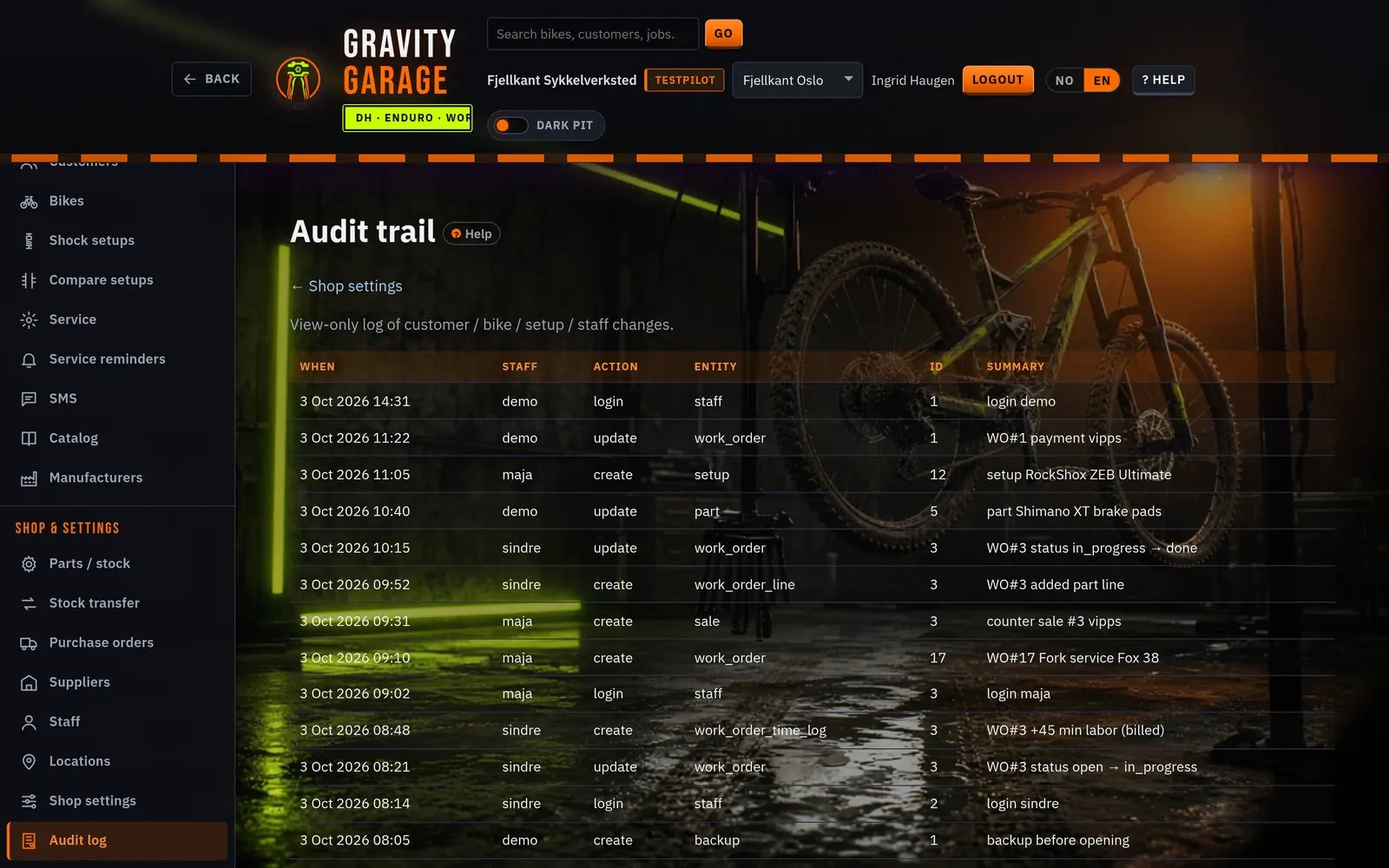
In shop mode every staff member has their own login, with the role mechanic or admin.
The audit trail shows who did what and when – customers, bikes, setups, work orders, backups and settings
Disable an account when someone leaves – their history is kept
Your own shop logo
Your logo at the top of the app and on invoices, quotes, job sheets, pickup slips and the customer status page.
Chains can use a logo per location
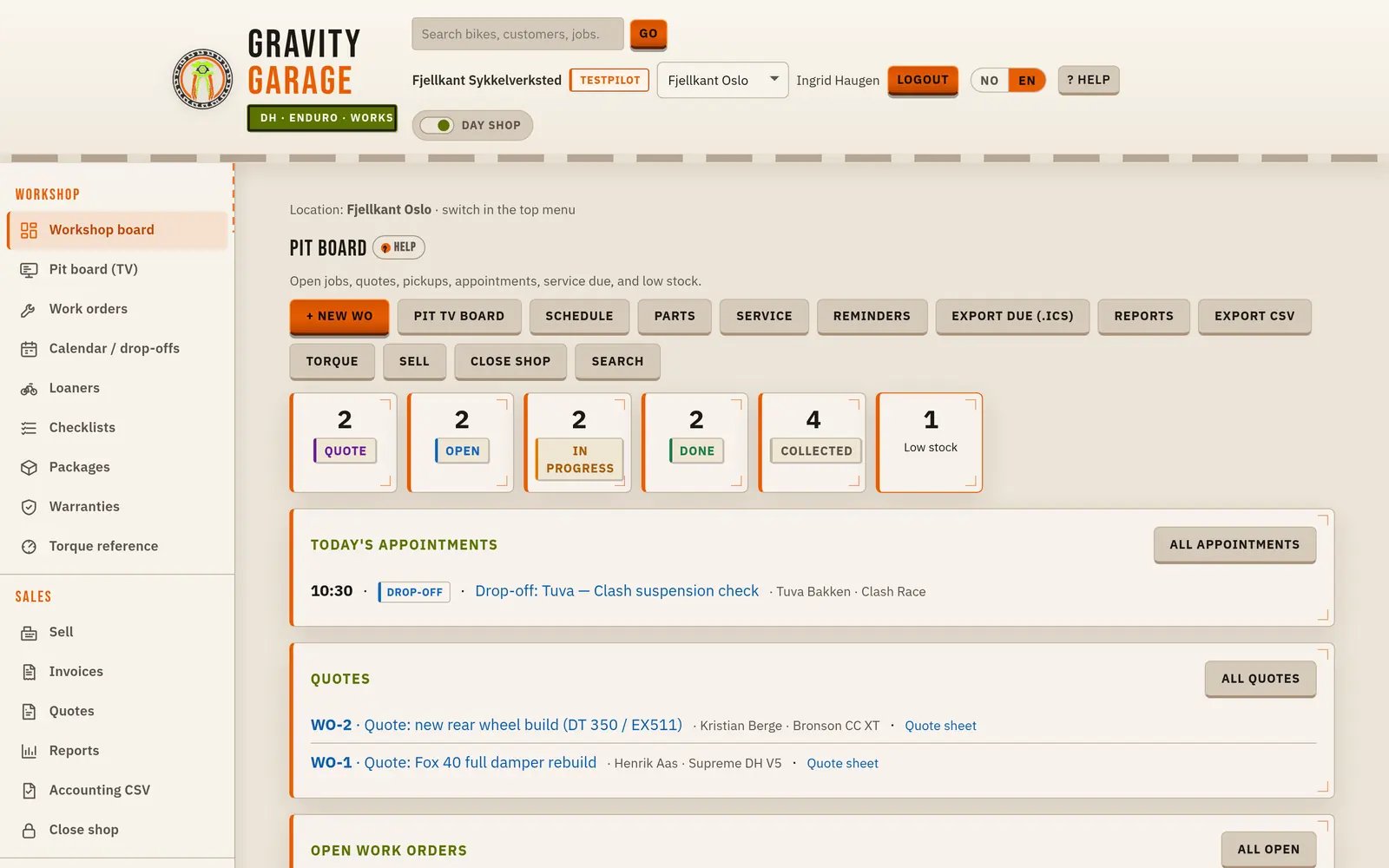
Norwegian & English, light/dark theme
Each staff member picks a language. Invoices, quotes and SMS/e-mail drafts are made in the customer’s language.
Collapsible sidebar – a drawer on tablets and phones
Light or dark theme, remembered per user
Backups & export
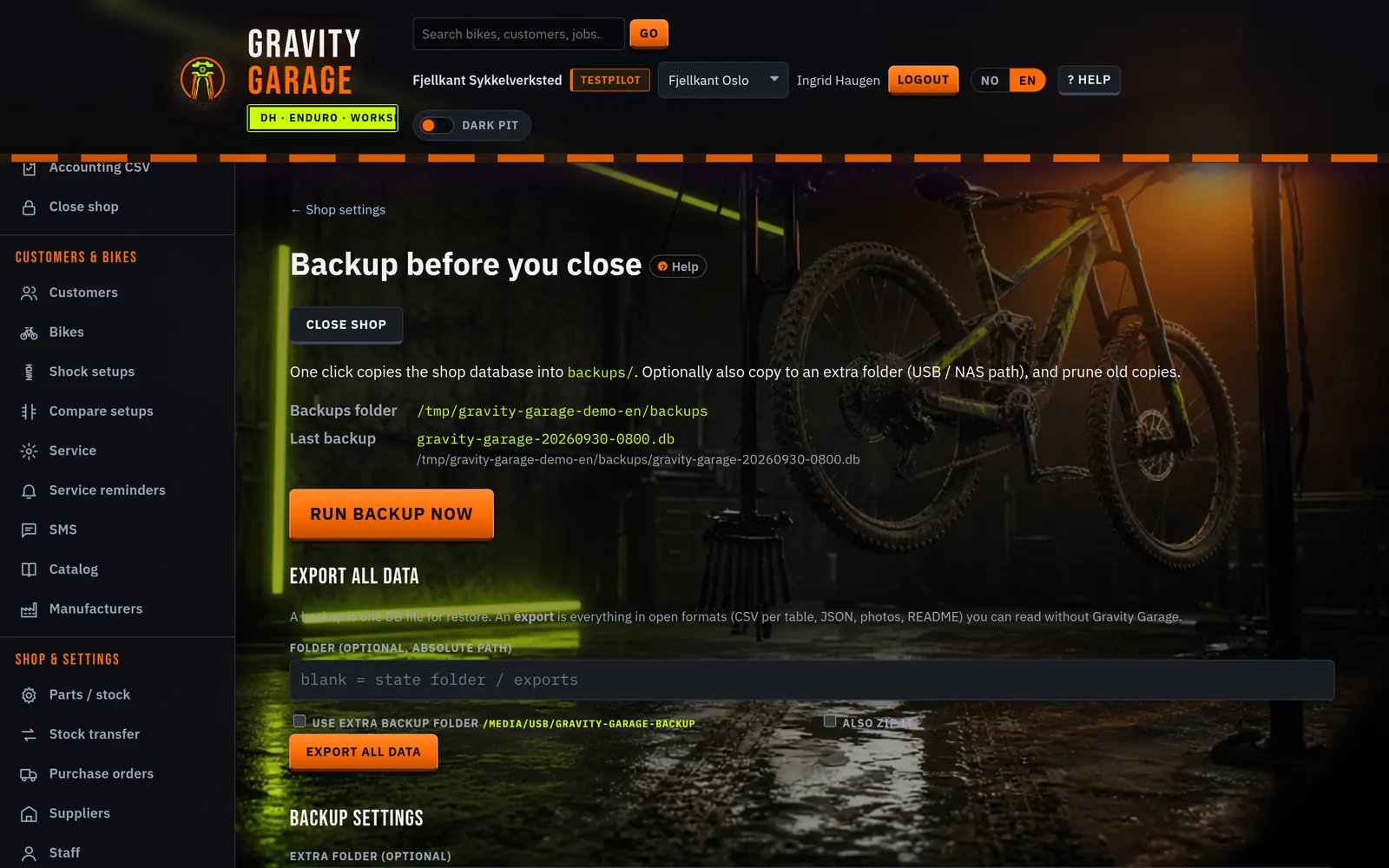
Export all data in one click: CSV per table, combined JSON, photos and a restore copy.
Backups before closing and on a schedule
To a local folder, USB drive or NAS
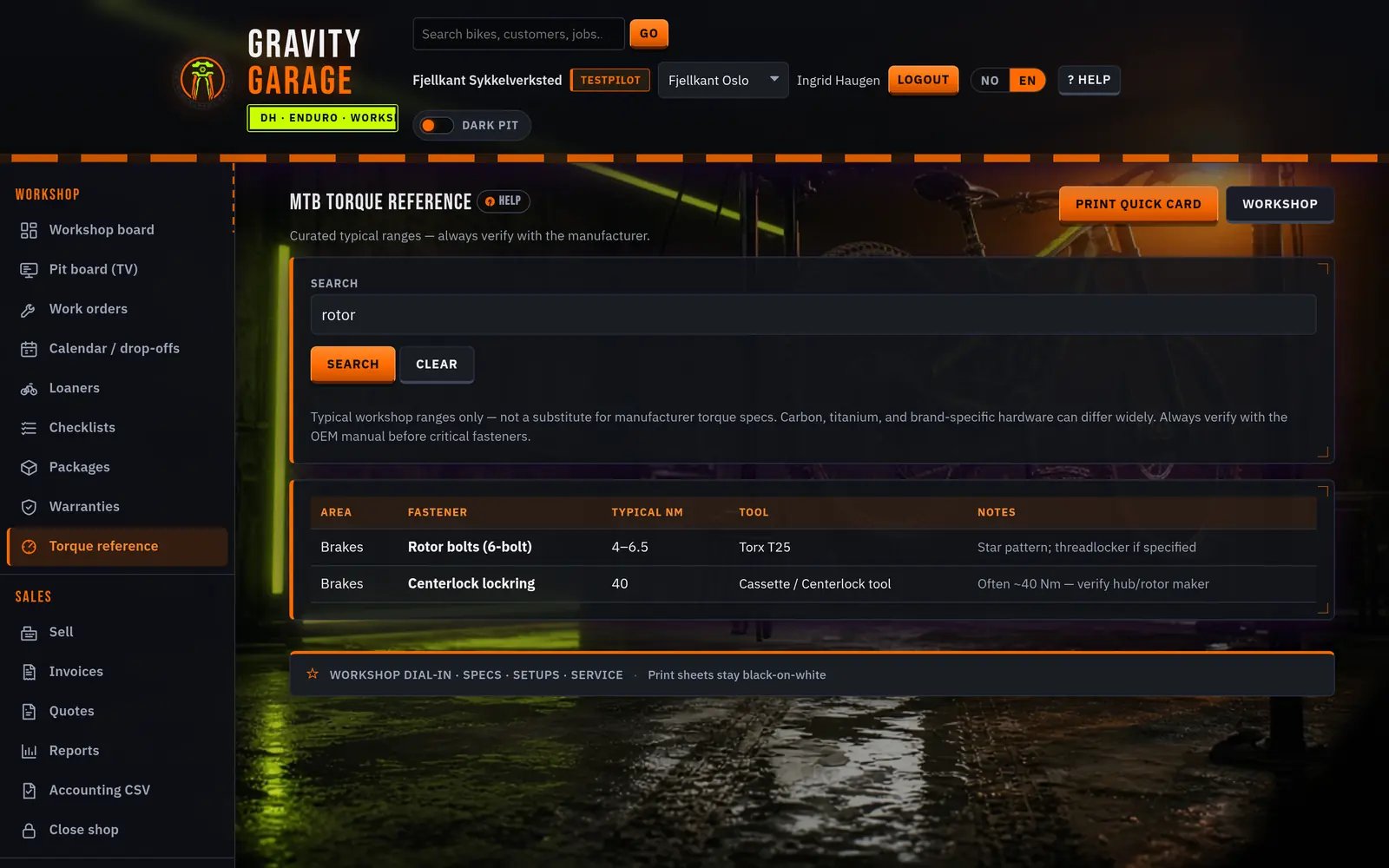
Torque table, help & manual
Built-in table of typical tightening torques (Nm) – always check against the manufacturer.
Built-in help pages in the app
User manual included
Also included in Gravity Garage
Loaners, warranty & appointmentsKeep track of loaner bikes, warranty cases, job packages and checklist templates. Appointments with calendar export (.ics).
Import from other systemsBring in customers, bikes and parts/stock from CSV or Excel (XLSX), with column mapping, preview and duplicate check. Dry run first – and undo the whole import.
Privacy (GDPR)Export a customer’s personal data, anonymise or delete – with confirmation and an audit log. Anonymising keeps accounting records without personal details, and the privacy policy is editable in Norwegian and English.
Reports & close shopShop reports and a fixed close-shop routine, with a backup before closing.
Stocktake
Count your stock with the scanner.
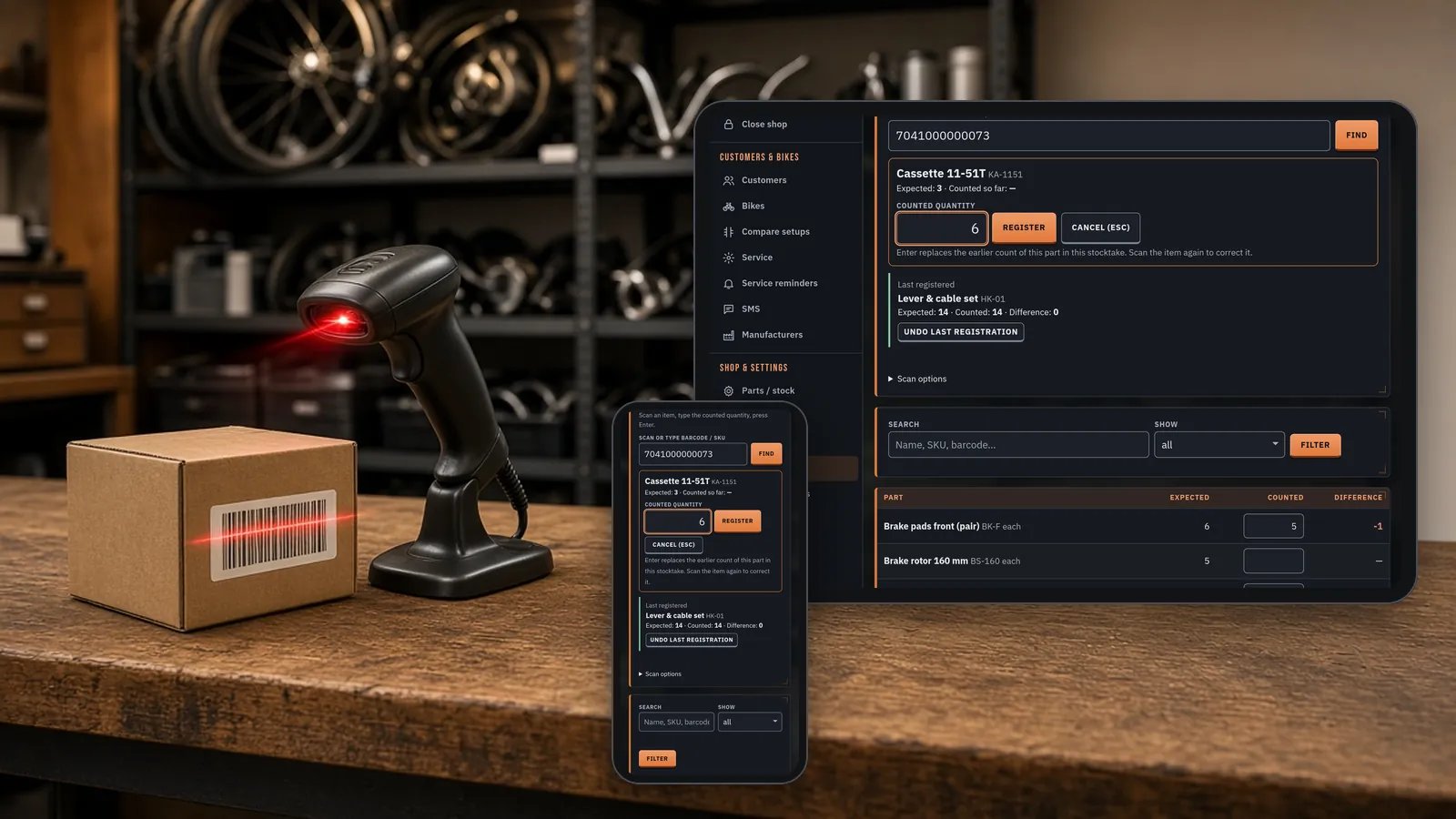
Scan the part, type the count and press Enter – and the count is registered.
How you count:
Scan the part
Type the count
Press Enter
Registered
Read more about stocktake
Customers, stock and bike – control at every step, and it’s yours. Everything runs on the workshop’s own PC, and the data stays with you.
On the stocktake page you scan the part, type the quantity you counted and press Enter – and the count is registered. Scanned the wrong one? Scan the part again to correct it, or undo the last registration.
Print barcode labelsCode 128 labels for your parts.
Scan at goods receiptScan the parts as they arrive, on the purchase order.
Internal barcode, automaticallyParts that lack a barcode get an internal barcode that is generated automatically.
Scanner: tested with Zebra DS22The wired Zebra DS22 worked out of the box. Ordinary USB scanners that type like a keyboard should work too – expected, not tested.
Show the customer the screen. You can turn the screen towards the customer at the counter.
Scan the part – type the count – Enter
Illustration. The screenshots are real, with fictional demo data.
SumUp and Zettle
Payment with SumUp or Zettle
Gravity Garage is not a till system. Norwegian shops take payment in their own till system; invoices on credit go to business customers only. Optionally, the amount can be sent to the shop’s own SumUp or Zettle account. Payment happens there – Gravity Garage is not a till system.
Read more about “Send to POS”
Gravity Garage can be used alongside SumUp and Zettle. Payment happens in the workshop’s own solution. Gravity Garage is not a till system. With “Send to POS” (Zettle / PayPal Point of Sale) a temporary product «Verksted AO-…» is created in your Zettle library. Open Zettle Go, find and sell it – Gravity Garage marks the job paid and deletes the product. (The API cannot place it in a POS folder.) More till integrations are in progress; tick the box in the trial form or order form if you use another system.
Read more
From work order to invoice.
Guides to what Gravity Garage does – and what it costs.
Gravity Garage runs on the workshop’s own PC with a local SQLite database. No cloud account – and it keeps working when the internet drops out.
Read more about local-first
When the internet drops out or a cloud service goes down, many shops grind to a halt. Gravity Garage runs on the hardware in your shop, with a fast, local SQLite database. No cloud account.
Works without internetEverything runs locally in the shop
Runs on Windows and LinuxIts own app window – Windows 10/11 or Linux · download on request
No server neededA LAN server only if you want one
Tablets & PCsConnect in the browser over the LAN
Logins & rolesAudit trail in shop mode
Barcode scannerKeyboard or scanner for parts and stock
01
No cloud dependency
Tablets at the work stand and the PC at the front desk connect straight to the shop’s local network.
02
Full data ownership
No outside third party stores your customer lists or work orders. Nothing is uploaded automatically.
Optional outside services are only used when the workshop switches them on itself – for example SMS through the workshop’s own provider account.
Local-first · local SQLite · no cloud account
FAQ
Frequently asked questions
Answers about server, price, data and the test pilot programme.
Tap a question to see the answer.
Do I need a server?
No, not a separate one. Gravity Garage runs on the workshop's own PC and stores data locally in a SQLite database. If you want tablets and more PCs, the program runs as a local server on the shop network (LAN) and the other devices open it in the browser. Connecting to a server outside the shop is entirely optional.
Which operating systems are supported?
Windows 10/11 and Linux. Download is on request – as a test pilot you receive the download link and licence key by email, usually within one working day.
How much does it cost?
The workshop licence costs NOK 9,900, one-time per workshop/location, with an unlimited number of users. An extra location costs NOK 4,900. An optional update and support plan costs NOK 1,990 per location per year, and the Statistics add-on NOK 1,900 one-time. The program works forever, also without the plan. Norwegian customers pay by invoice/EHF; customers outside Norway pay Maybra Apps by card via SumUp (links on the order page). See all prices.
Is Gravity Garage a cash register system?
No. Gravity Garage does not take payment. At pickup it creates an invoice on credit in a fixed number series; payment happens in the shop’s approved till. “Send to POS” supports Zettle – see Send to POS. Read more about invoice on credit and credit notes.
Can Gravity Garage connect to our POS system?
Gravity Garage can be used alongside SumUp and Zettle. The “Send to POS” workflow described here applies to Zettle. More integrations are in progress – tick which till you use in the forms. Details under Send to POS.
Can I count my stock with a barcode scanner?
Yes. On the stocktake page you scan the part, type the quantity you counted and press Enter – and the count is registered. You can print barcode labels (Code 128) and scan items at goods receipt on a purchase order, and parts that lack a barcode get an internal barcode automatically. We have tested a wired Zebra DS22, which worked out of the box. Ordinary USB scanners that type like a keyboard should work too, but have not been tested.
Where is the data stored – and what about GDPR?
Data is stored locally on the workshop's machine, and Maybra Apps receives no customer or workshop data from the program. The workshop is itself the controller for its own customers' data, and the program can export, anonymise or delete a customer on request. An optional encrypted backup to the workshop's own Google Drive is only used if you switch it on. See the privacy policy.
How do updates work?
The update and support plan is optional. Updates released while the plan is active can always be installed and kept, and the program never stops working – also without the plan. The program can check the update server; only version information is sent, no customer data.
What happens to the licence if the workshop is sold or closes?
The licence can be transferred to the new owner – also on winding up, and through the estate in a bankruptcy. The transfer costs NOK 1,500. Forsberg Solutions is not VAT-registered, so no VAT is added. We move the activation to the new owner’s computer through the licence server, and the customer data in the software belongs to the business. Test pilot licences cannot be transferred. Test pilot is free – no annual price passes to a new owner. See the terms for transfers.
How does support work?
Support is given by e-mail at support@maybraapps.com. A user manual and built-in help pages come with the program, and test pilots get help getting started.
Why .com and not .no?
Because Gravity Garage is also meant to be available outside Norway. A .com domain suits international customers better, and it should help the site show up in searches from other countries. We are based in Sandnes, and the app is available in Norwegian and English.
How do I become a test pilot?
Before the April 2027 launch, up to six workshops can become test pilots: a free licence for one location that works forever, with free updates and support. Once six are accepted, the application form closes. We ask for honest feedback along the way. Apply to become a test pilot.
About me
It started in a garage in Sandnes
My name is Bjørn – a regular Joe who loves all things mechanical and technical, computers, and the more extreme side of what we call sport.
I’ve built quite a few bikes, and that’s how Gravity Garage started: as a logbook and a tool I could use in the garage while wrenching on bikes.
After a while I realised that others could benefit from what I was using as a logbook and reference – and that it could grow into something much bigger.
It all began with late evenings in the garage, long nights and passion.
"It started as a log for our own bikes, but I soon saw that others could use it too. So I set out to build a complete workshop system, but not like everything else, where you're charged every month. That's why Gravity Garage runs on your PC and your own hardware. You own it, and you never have to wonder whether you've remembered to renew next month's licence."
– Bjørn Forsberg, founder
I’ve learned one thing as a salesperson: nobody likes being pestered. I won’t call you unless you ask me to. Gravity Garage is good – there’s no doubt about that. No hard sell needed.
Bjørn Forsberg, Maybra Apps, Sandnes
Contact
Test pilot or order.
Fill in the form and we will reply by e-mail. What you send is not stored in any database – it only reaches us as an e-mail. The user manual is sent on request.
I won’t call, and I won’t pester you – unless you ask me to get in touch.
📄 The user manual is available on request – tick the box in the form above or write to support@maybraapps.com.