What's new in Gravity Garage 56.26
A big digital clock in the header, a bigger logo and text, and a fix for updating on Linux. Weather and news in the header have been removed. Everything still runs locally on the workshop’s own PC.
Big clock in the header
Where the weather and news used to be, the header now shows a big digital clock: the time (24-hour) with weekday and date next to the logo. It uses the computer’s own clock and fetches nothing from the internet. It is hidden on narrow screens. It is on by default and can be turned off under Settings → System → Clock in the header.
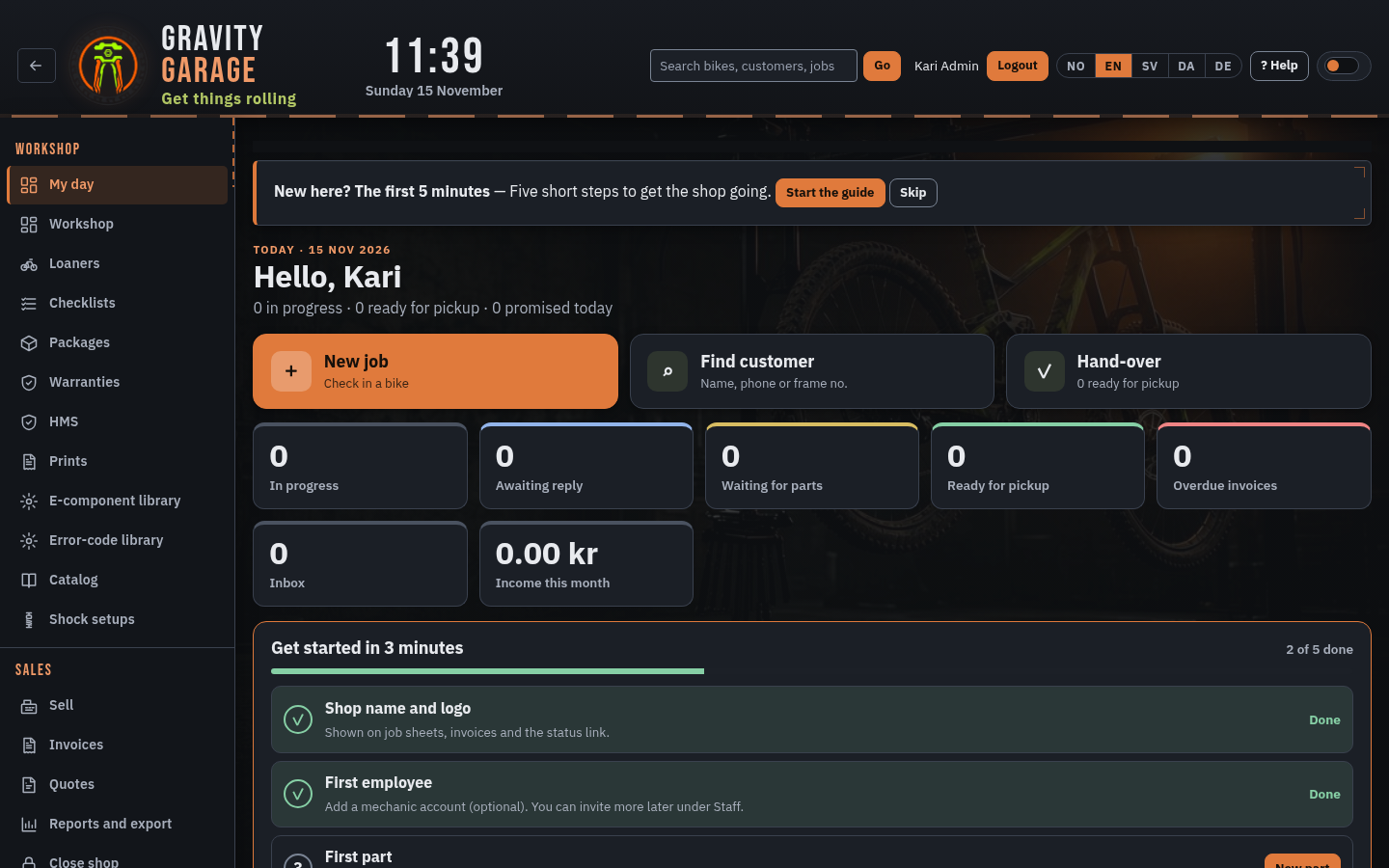

Bigger logo and text
The logo and name in the header are bigger and easier to see. This also applies to the shop’s own logo if you have uploaded one.
Weather and news in the header removed
The weather forecast and news headlines field that came in 56.25 has been removed. The clock sits where it used to be.
Linux: restarts by itself after an update
After an update from inside the program, Gravity Garage now starts again by itself instead of showing a white page.
Newer: see What’s new in 56.27.
Earlier news is still on What’s new in 56.24 and 56.25 and What’s new in 56.9. See also screenshots.
Try Gravity Garage as a test pilot
Before the April 2027 launch, bike shops can get a free licence for one location. There are six spots, and five are left. You receive the installer and licence key by e-mail, usually within one working day.