Work orders for bike workshops
A work order follows one bike from drop-off until the customer collects it. In Gravity Garage it brings together customer, bike, parts, mechanic time, checklist and photos – and becomes a quote or invoice when the job is done.
From quote to collected
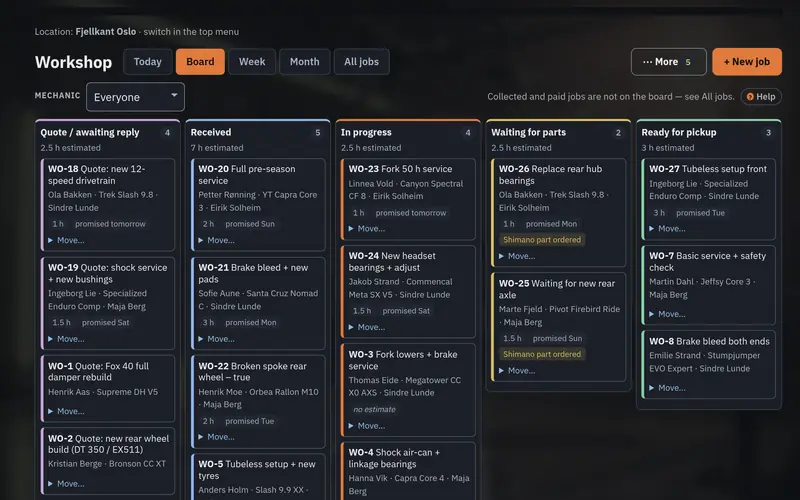
The statuses are quote, received, in progress, ready for pickup and collected. The status card on the job always shows the next step as one big button. If you mark a job ready while checklist items are still open, you get a warning, but the change is not blocked. The workshop board has the tabs Today, Board, Week, Month and All jobs, and jobs can be dragged between statuses.
Parts, labour and packages
Add parts by SKU or barcode, from the parts catalogue or as a custom description. Catalogue parts are taken from stock immediately and put back if the line is deleted. Service packages such as brake bleed, suspension service, tubeless setup, drivetrain, basic service and safety check can be added to a job as ready-made sets of lines. Discounts in percent or kroner show as original price, discount and net price on the invoice.
Mechanic time, checklists and photos
- Mechanic time: log minutes per employee. Time is internal by default and shown as time spent; you choose whether to bill it at the workshop's labour rate.
- Checklists: use the built-in safety check or make your own templates. Progress shows as, for example, 6/10 and prints on the job sheet.
- Before/after photos: upload photos tagged before, after or other. They print on the job sheet.
- Mechanic and estimate: set the assigned mechanic, estimated time and a promised-ready time. Jobs past the promised time are marked late.
Status link for the customer
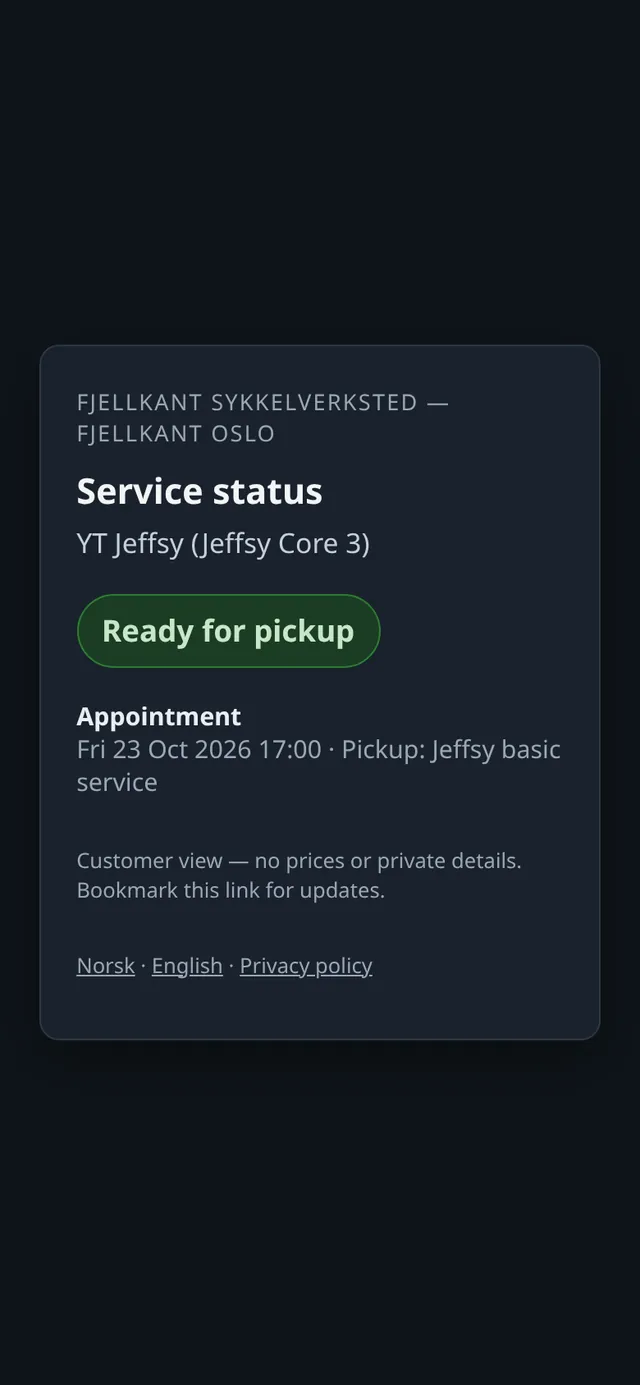
Every work order has a private, hard-to-guess status link that the customer opens in the browser without logging in. It shows the workshop's name and logo, the bike, the status and any next appointment – never prices, notes, phone, e-mail, payment details, names of staff or frame numbers. The link points to the program, so it works wherever the customer can reach it: for example on the shop network, or through a server you have made available yourself. Otherwise you can read the status out on the phone or send an SMS draft.
Loaner bikes and reminders
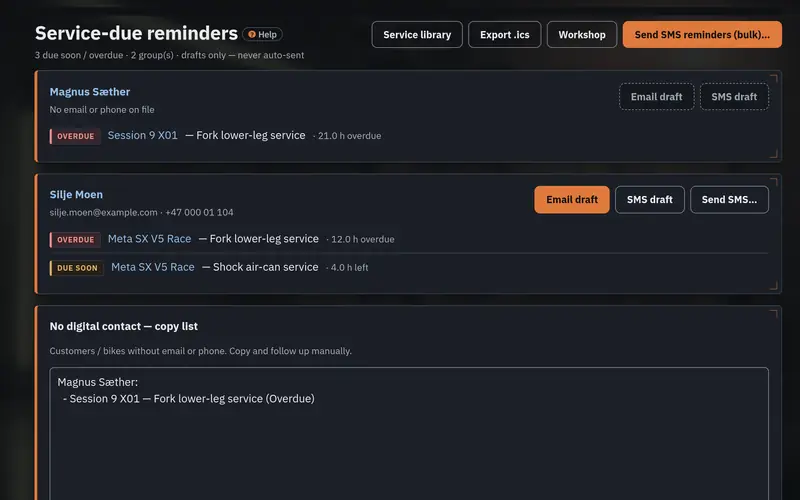
Lend one of the workshop's bikes while the customer's bike is in, with a due date, deposit and return. Overdue loans are highlighted. Service intervals per bike give reminders grouped per customer, with SMS and e-mail drafts in the customer's language.
SMS through the workshop's own provider
Without SMS setup, the program makes SMS drafts that open in your phone's Messages app, or a QR code you scan when you are at the PC. Optionally you can send SMS from the program through the workshop's own account with GatewayAPI, Twilio or Sveve, or via webhook. Every message is confirmed by an employee before it is sent. The only exception is automatic daily service reminders, which you have to turn on yourself (off by default). SMS costs money with your provider.

From job to invoice
When the bike is collected, you issue an invoice on credit, or you send the order to the workshop’s POS system, where the customer pays and gets a receipt. Read more about invoice on credit and credit notes, see the whole workshop software or the prices.
Try Gravity Garage as a test pilot
Before the April 2027 launch, bike workshops can get a free licence for one location. You will receive the download link and licence key by email, usually within one working day.